Vibe coding resource #8: CRUD app ship checklist
You built a CRUD app with AI in a weekend. It creates records, reads them back, updates fields, deletes rows. Everything works on localhost. Then you ship it, a real user hits it, and the whole thing falls apart because you skipped input validation, forgot rate limiting, and never tested what happens when two people edit the same record at once.


You built a CRUD app with AI in a weekend. It creates records, reads them back, updates fields, deletes rows. Everything works on localhost. Then you ship it, a real user hits it, and the whole thing falls apart because you skipped input validation, forgot rate limiting, and never tested what happens when two people edit the same record at once. This checklist exists so that gap between demo and production disappears before your users find it for you.
Photo by cottonbro studio from Pexels
TL;DR:- Every CRUD app needs validation, auth, error handling, and backup checks before going live.
- This checklist covers 7 categories: data model, auth, validation, error handling, performance, deployment, and monitoring.
- Work through it linearly. Skip nothing. Each unchecked box is a production incident waiting to happen.
Why CRUD apps break in production
Most AI-generated CRUD apps share the same DNA. Cursor, Claude, or Lovable gives you a clean schema, wires up four endpoints, and generates a frontend that looks polished. The code runs. The demo impresses. But production traffic exposes every shortcut the AI took.
The pattern repeats: missing server-side validation (the AI trusted the frontend), no authentication middleware on API routes, zero error handling beyond a generic try/catch, and database queries that work fine with 10 rows but choke on 10,000. These are not edge cases. They are the default state of every AI-generated CRUD app until you fix them.
A structured checklist turns a 3-hour debugging session into a 30-minute review. You catch the problems before your users do.

Common mistakes that sink CRUD apps
Trusting client-side validation alone. Your React form checks that an email field is not empty. Great. But your Express route accepts whatever the request body contains. An attacker skips the form entirely, sends a curl request, and injects garbage into your database.
No authentication on destructive endpoints. The AI generated a DELETE route. It works. It also works for anyone who guesses the URL. Without auth middleware, every record in your database is one HTTP request away from disappearing.
Ignoring concurrent edits. Two users open the same record. Both edit it. Both save. The last save wins, and the first user's changes vanish without warning. This is called a lost update, and it happens in every CRUD app that lacks optimistic locking or conflict detection.
Skipping database indexes. Your app queries users by email on every login. Without an index on that column, the database scans every row. With 50 users, you will not notice. With 50,000, your login page takes 8 seconds.
The 7-category ship checklist
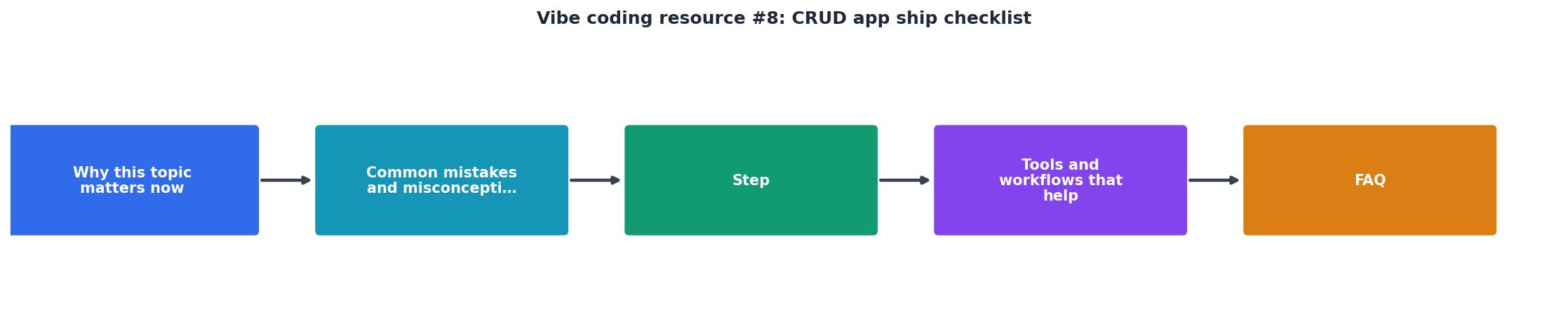
The checklist below covers seven categories. Work through them in order: Data Model, Auth, Validation, Error Handling, Performance, Deployment, Monitoring. Each category builds on the previous one.
Data model
- Primary keys use UUIDs or auto-incrementing IDs consistently across all tables.
- Timestamps (
created_at,updated_at) exist on every table. - Soft deletes are implemented where business logic requires audit trails (add a
deleted_atcolumn instead of removing rows). - Foreign key constraints enforce referential integrity at the database level, not just in application code.
- Migrations are version-controlled and can run forward and backward.
Auth and authorization
- Every Create, Update, and Delete endpoint requires authentication.
- Authorization checks confirm the requesting user owns or has access to the specific record.
- API tokens or session cookies use
httpOnly,secure, andsameSiteflags. - Password fields are hashed with bcrypt or argon2 (never stored in plaintext, never MD5).
Input validation
- Server-side validation exists for every field on every endpoint, independent of frontend checks.
- String fields have max length limits enforced at both application and database levels.
- Numeric fields reject negative values, NaN, and Infinity where inappropriate.
- File uploads validate MIME type, file size, and filename (no path traversal characters).

Error handling
- API endpoints return structured error responses (consistent JSON shape with
error,message,statusfields). - Database errors never leak table names, column names, or SQL to the client.
- A global error handler catches unhandled exceptions and returns a 500 without crashing the process.
- Failed operations log enough context to reproduce the issue (request ID, user ID, timestamp, input summary).
Performance
- Database indexes exist on every column used in
WHERE,ORDER BY, orJOINclauses. - List endpoints implement pagination (cursor-based or offset-based) with a max page size.
- N+1 query problems are resolved with eager loading or batch queries.
- Static assets use cache headers (
Cache-Control,ETag).
Deployment
- Environment variables store all secrets (database URL, API keys, JWT secret). No secrets in code.
- HTTPS is enforced. HTTP requests redirect to HTTPS.
- CORS is configured to allow only your frontend domain, not
. - Database backups run on a schedule and have been tested with a restore.
- A rollback plan exists: you can deploy the previous version within 5 minutes.
Monitoring
- Health check endpoint (
/healthor/api/health) returns 200 when the app and database are reachable. - Uptime monitoring (UptimeRobot, Better Stack, or similar) pings the health endpoint every 60 seconds.
- Error tracking (Sentry, LogRocket, or equivalent) captures exceptions with stack traces.
- Log aggregation sends structured logs to a searchable service, not just
console.log.
"The result is a stronger demand for co-authoring tools that blend code generation, prompt engineering, and rapid iteration.">, 30+ best vibe coding tools to build, create, and code by feel • Anything*
How to work through the checklist

Do not try to fix everything at once. Pick one category per session. Start with Auth if your app handles any user data. Start with Validation if your app is internal-only but accepts user input. Start with Deployment if you are shipping today.
For each item, ask your AI tool directly: "Does this codebase have server-side validation on the POST /api/items endpoint? Show me the code." The AI will either show you the validation logic or reveal that none exists. Then fix it before moving on.
Keep a running document. Check off items as you verify them. When every box is checked, you are ready to ship.
The following dashboard shows what a typical pre-ship review looks like for a CRUD app built with AI tools:
CRUD Ship Readiness: Example App
This is the typical result after a first pass. Two categories fail, two are partial. That is normal. The checklist exists to surface these gaps before your users do.
Tools that speed up the review
- Zod (TypeScript) or Pydantic (Python) for server-side validation schemas. Define once, validate everywhere.
- Prisma or Drizzle for type-safe database queries with built-in migration support.
- Sentry for error tracking with zero configuration overhead.
- Better Stack or UptimeRobot for uptime monitoring on free tiers.
- GitHub Actions for automated checks on every push: linting, type checking, and test runs.
CRUD App Ship Checklist
Your progress is saved automatically in your browser.
FAQ
Frequently Asked Questions
What category on this checklist has burned you the hardest in a past launch? Drop it in the comments.
Additional Resources
- 30+ best vibe coding tools to build, create, and code by feel - Vibe Coding blends creative coding, flow based. Anything generates database schemas and CRUD endpoints based on your app model. ship production ...
- The Vibe Coding Master Checklist - Get your AI-generated app ready for production with this comprehensive guide covering security, performance, and deployment best practices.
- How to structure your Vibe Coding project Building with AI is ... - How to structure your Vibe Coding project Building with AI is 10x faster when you have the right documentation.
Ready to Master Vibe Coding?
Learn to build software faster with AI assistance using the Vibe Coding Bible.
Get Started