Setting Up Team Workflows for AI-Assisted Development
Your team adopted Copilot three months ago. Half the engineers use it for everything, a quarter ignore it, and the rest paste entire files into ChatGPT with no review process. Pull request quality is all over the place, nobody agrees on when AI-generated code needs extra scrutiny, and the productivity gains leadership expected have not materialized. The fix is not more tools.

Your team adopted Copilot three months ago. Half the engineers use it for everything, a quarter ignore it, and the rest paste entire files into ChatGPT with no review process. Pull request quality is all over the place, nobody agrees on when AI-generated code needs extra scrutiny, and the productivity gains leadership expected have not materialized. The fix is not more tools. It is a deliberate workflow that tells every engineer exactly how AI fits into the way your team already ships code.
Photo by Pavel Danilyuk from Pexels
TL;DR:- Standardize which AI tools your team uses and where they plug into existing CI/CD pipelines.
- Assign clear roles: who prompts, who reviews AI output, who owns the final merge.
- Document everything in a lightweight workflow spec so new hires ramp up in days, not weeks.
- Communicate changes through short, recurring syncs focused on AI-specific friction.
Why Standardize AI Workflows?
Most engineering teams already have a shipping process: branch, code, PR, review, merge, deploy. AI tools do not replace that process. They add a new input source that behaves differently from human-written code. AI-generated code tends to be syntactically correct but contextually naive. It passes linters but misses business logic edge cases. Without a shared workflow, each engineer invents their own approach, and quality becomes unpredictable.
Standardized workflows solve three problems at once. First, they reduce review burden by giving reviewers a checklist tailored to AI output. Second, they create accountability because every AI-assisted PR has a named owner. Third, they make onboarding faster since new engineers see exactly how AI fits into the team's rhythm.
Teams that skip this step typically capture only 30-40% of the productivity upside AI tools offer. The rest evaporates in rework, review cycles, and debugging subtle issues that a structured process would catch early.
Integrate AI Tools Into Existing Processes
Do not build a new pipeline. Slot AI tools into the pipeline you already have. Here is a concrete integration sequence that works for teams running GitHub/GitLab with CI:
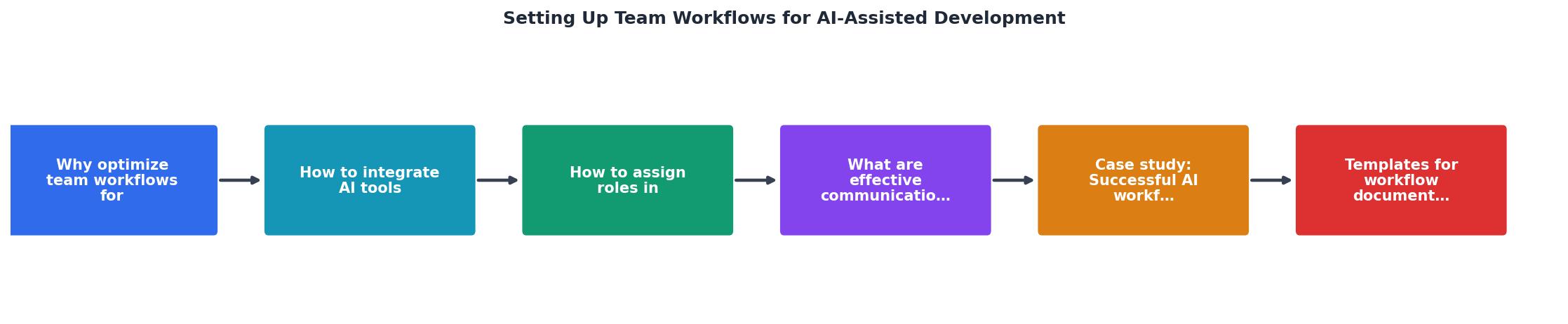
- Select tools - Pick one primary AI coding assistant (Cursor, Copilot, Claude Code) and one secondary tool for code review or test generation. Fewer tools means fewer context switches.
- Configure at the repo level - Add shared configuration files (
.cursorrules,.github/copilot-instructions.md) to the repository so every engineer gets the same AI behavior. - Gate AI output in CI - Add a CI step that flags PRs where more than 60% of the diff is AI-generated. This is not a block, just a signal for reviewers.
- Tag PRs - Require a label like
ai-assistedon any PR where AI generated a significant portion of the code. This feeds into your metrics later. - Run targeted tests - AI-generated code benefits from property-based tests and mutation testing. Add these to your CI for flagged PRs.
/prompts directory so others can reuse it.Assign Roles in AI-Assisted Teams

AI does not eliminate roles. It shifts them. Three roles matter in an AI-assisted team:
- Prompt Author - The engineer who writes the prompt, provides context, and iterates with the AI tool. This person owns the initial output and is responsible for a first-pass review before opening a PR.
- AI Review Lead - A rotating role (weekly or per-sprint) where one senior engineer specifically reviews AI-assisted PRs with an eye on architectural fit, security, and business logic. This is different from a standard code review because the failure modes are different.
- Workflow Owner - One person (often the tech lead) who maintains the team's AI workflow documentation, tracks metrics, and adjusts the process quarterly.
"At Anthropic, for example, engineers adopted Claude Code so heavily that today ~90% of the code for Claude Code is written by Claude Code itself.">, AddyOsmani.com
That level of AI adoption only works because Anthropic has clear ownership at every step. The engineer who prompts Claude Code still owns the output. The review process still catches issues. The difference is speed, not accountability.
| Traditional Workflow | AI-Assisted Workflow |
|---|---|
| Engineer writes all code | Engineer prompts + edits AI output |
| Reviewer checks logic + style | Reviewer checks logic + AI-specific pitfalls |
| No prompt artifacts | Prompt templates stored in repo |
| Uniform review process | AI-flagged PRs get extra scrutiny |
| Onboarding: read the codebase | Onboarding: read the codebase + workflow spec |
Communication Strategies That Work

AI tools introduce a new category of team friction: prompt quality variance, over-reliance on AI for unfamiliar domains, and silent failures where AI code looks correct but is not. Standard standups do not surface these issues. You need targeted communication rituals.
Weekly AI retro (15 minutes): Every Friday, the team shares one AI win and one AI failure from the week. Keep it short. The goal is pattern recognition. If three engineers hit the same AI limitation, that is a signal to update your prompt templates or add a linter rule.
PR comment conventions: Adopt a simple convention for AI-assisted PRs. When a reviewer spots an AI-specific issue (hallucinated API, incorrect error handling pattern, unnecessary abstraction), they prefix the comment with [AI]. This makes it easy to search and aggregate AI-related review feedback.
Shared prompt log: Use a Slack channel or Notion page where engineers post prompts that worked well for complex tasks. This is not documentation. It is a living feed. The workflow owner curates the best ones into the /prompts directory monthly.
Case Study: A 40-Person Startup's Adoption
A B2B SaaS company with 40 engineers and 6 teams rolled out Cursor across the organization in Q1 2025. The first month was chaos. Each team used Cursor differently. Some teams saw PR volume double with no change in merge rate. Others barely touched it.
The VP of Engineering introduced three changes:
- A single-page AI Workflow Spec committed to each team's repo (covering tool config, PR labeling, and review expectations).
- A rotating AI Review Lead role on each team, with a 30-minute weekly handoff.
- A monthly metrics review tracking AI-assisted PR merge rate, revert rate, and time-to-merge compared to non-AI PRs.
Within two months, AI-assisted PR revert rates dropped by 35%. Time-to-merge for AI-assisted PRs fell to within 10% of standard PRs. The key insight: the tools were never the bottleneck. The process around them was.
Here is an example dashboard a team lead might track to monitor AI workflow health:
AI Workflow Health Dashboard (Example)
Workflow Documentation Templates
Your AI workflow spec does not need to be long. One page works. Here is the structure that the case study team used, and it translates well to teams of any size.
Section 1: Approved Tools - List the AI tools the team uses, their versions, and where configuration lives in the repo.
Section 2: PR Labeling - Define when the ai-assisted label is required (e.g., more than 20 lines of AI-generated code in a single PR).
Section 3: Review Protocol - Describe the AI Review Lead rotation, the [AI] comment prefix convention, and the extra checks reviewers should perform on AI-assisted PRs (security, error handling, test coverage).
Section 4: Prompt Management - Point to the /prompts directory. Describe how to add a new template and the monthly curation process.
Section 5: Metrics - List the four or five metrics the workflow owner tracks and the cadence of review.
AI Workflow Setup Checklist for Engineering Leads
Your progress is saved automatically in your browser.
FAQ
Frequently Asked Questions
[AI] to tag AI-specific review feedback so you can aggregate patterns. Maintain a shared prompt log in Slack or Notion for real-time knowledge sharing, and have the workflow owner curate the best prompts monthly. These lightweight rituals surface problems early without adding heavy process.What is the first change you would make to your team's workflow to better integrate AI tools? The Vibe Coding Bible at vibecodingbible.org covers team-scale AI adoption strategies in depth if you want a complete playbook.
Additional Resources
- My LLM coding workflow going into 2026 - By configuring system instructions, sharing project docs, or writing down explicit rules, you turn the AI into a more specialized developer on ...
- Keep Agentic AI Simple: A Practical Workflow for Software ... - I recommend creating custom skill for your team-level rules, or for areas where an agent usually goes off the track.
- AI-Assisted Development Workflows - AI-Powered Collaboration (Team Workflows). AI improves team collaboration by: Summarizing PRs; Translating tech discussions; Rewriting complex ...
Ready to Master Vibe Coding?
Learn to build software faster with AI assistance using the Vibe Coding Bible.
Get Started