System Design Prompts From the Vibe Coding Bible (Free Sample)
You got your AI coding assistant to build a working prototype in a weekend. Login works, the database stores data, and the UI looks decent. Then you try to add a payment flow, a second user role, or a webhook integration, and the whole thing collapses into spaghetti. The missing piece is not more code.

You got your AI coding assistant to build a working prototype in a weekend. Login works, the database stores data, and the UI looks decent. Then you try to add a payment flow, a second user role, or a webhook integration, and the whole thing collapses into spaghetti. The missing piece is not more code. It is the system design conversation you never had with your AI before writing the first line. This free sample of prompts from the Vibe Coding Bible gives you that conversation starter.
Photo by Matheus Bertelli from Pexels
TL;DR:- System design prompts force your AI assistant to think about architecture, data flow, and failure modes before generating code.
- This free sample includes ready-to-paste prompts covering database schema, API structure, authentication, and error handling.
- Using structured prompts cuts rework time dramatically and produces code that survives contact with real users.
Why System Design Prompts Change Everything
Most people treat AI coding tools like a magic text box. Type "build me a SaaS app" and hope for the best. That works for toy projects. It falls apart the moment you need two services to talk to each other, or a user hits an edge case you never considered.
System design prompts flip the script. Instead of asking the AI to generate code immediately, you ask it to describe the architecture first. You get a blueprint. You review it. You catch problems when they cost nothing to fix. Then you generate code that follows a coherent plan.
"When you write a prompt for an AI coding agent, you're doing the same thing you do when you hand a brief to a designer or a developer.">, Medium
The Vibe Coding Bible dedicates an entire chapter to this approach. The prompts below are a free sample from that chapter, adapted so you can paste them directly into Cursor, Claude, or any AI coding assistant you use today.
Common Mistakes That Kill Projects

Before jumping into the prompts, here are the traps that catch builders who skip system design:
- Flat-file thinking. Asking the AI to "store user data" without specifying relationships, indexes, or access patterns. You end up with a single JSON blob that cannot be queried efficiently.
- No error paths. The AI generates the happy path. Payment succeeds, API responds, user enters valid data. Real users do none of those things consistently.
- Monolith by accident. Every feature lands in one file. By week three, a change to the notification system breaks the checkout flow because they share global state.
- Auth as an afterthought. Adding authentication after the app is built means retrofitting every route, every API call, and every database query with permission checks.
try/catch with a generic message, it will fail silently in production. Users will leave. You will not know why.Each of these mistakes traces back to the same root cause: the AI was never told to think about the system as a whole. It optimized for the immediate request, not the project.
The Prompt Framework: Five Layers

The Vibe Coding Bible organizes system design prompts into five layers. Each layer builds on the previous one. Here is the framework with sample prompts you can use right now.
Layer 1: Data Model
Start every project by asking the AI to define your data before writing any application logic.
Sample prompt:"Define the database schema for a [your app type]. Include all entities, their fields with data types, relationships between entities, and indexes needed for the most common queries. Do not write application code yet."
This single prompt prevents the flat-file trap. The AI will produce a schema you can review, question, and refine before a single migration runs.
Layer 2: API Surface
Once the data model exists, define how the outside world interacts with it.
Sample prompt:"Based on the schema above, design a REST API. List every endpoint with its HTTP method, URL path, request body, response shape, and possible error codes. Group endpoints by resource. Include authentication requirements for each endpoint."
Layer 3: Auth and Permissions
Sample prompt:"Design the authentication and authorization system for this app. Specify: login flow, token strategy (JWT vs session), role definitions, which endpoints require which roles, and how permissions are checked at the middleware level."
Layer 4: Error Handling
Sample prompt:"For each API endpoint, define the error scenarios: invalid input, missing resources, permission denied, rate limiting, and downstream service failures. Specify the HTTP status code, error response format, and whether the error should be logged, alerted, or retried."
Layer 5: Integration Points
Sample prompt:"List every external service this app depends on (payment processor, email provider, file storage, etc.). For each, define: the integration method, what happens when the service is unavailable, retry strategy, and how to test the integration locally without hitting the live service."
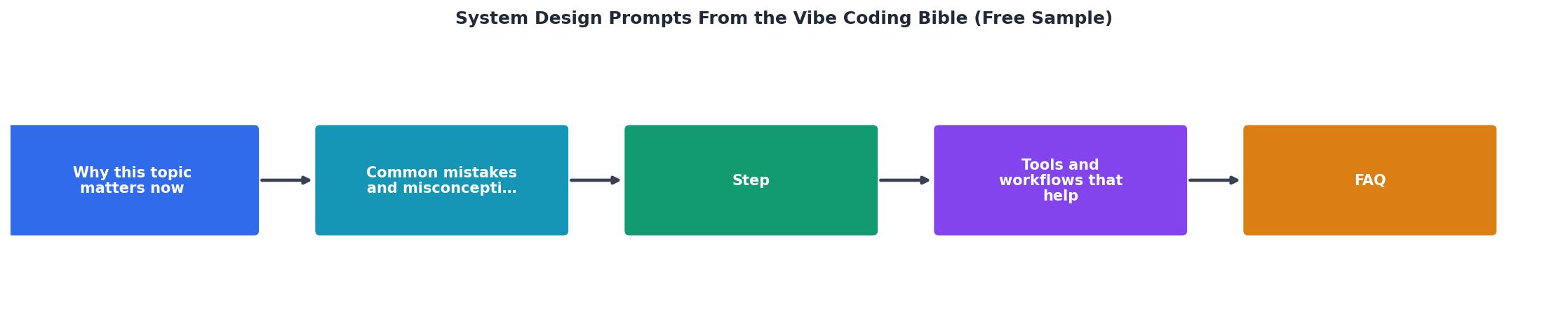
The five layers follow a strict order: Data Model, API Surface, Auth and Permissions, Error Handling, Integration Points. Each layer references the output of the previous one, so the AI builds a coherent system instead of disconnected fragments.
Putting the Prompts to Work

Here is a concrete workflow for using these prompts in a real project. Say you are building a SaaS invoicing tool.
- Open a new conversation in your AI assistant. Paste the Data Model prompt, replacing
[your app type]with "SaaS invoicing tool with multi-tenant support, recurring invoices, and Stripe integration." - Review the schema. Look for missing fields (e.g.,
currencyon the invoice table), missing relationships (e.g., invoice line items), and missing indexes. - Paste the API Surface prompt. The AI will reference the schema it just created. Check that every entity has CRUD endpoints and that the response shapes match your frontend needs.
- Continue through layers 3, 4, and 5. Each prompt builds on the conversation context.
- Only then ask the AI to generate implementation code. Start with the data layer, then routes, then business logic.
The following interactive card summarizes the five-layer framework and what each layer produces:
Five-Layer System Design Framework
Tools and Workflows That Help
You can use these prompts in any AI coding environment. Here is what works well for each:
- Cursor: Open a new Composer session. Paste each layer prompt sequentially. Cursor keeps the full conversation context, so layer 5 references layer 1 automatically.
- Claude (chat or API): Use Projects to pin your previous layer outputs as context. This prevents the AI from losing track of your schema when you reach layer 4.
- GitHub Copilot Chat: Works best if you paste the schema output into a
DESIGN.mdfile first, then reference it with@workspacein subsequent prompts. - Lovable / v0: These tools generate UI-first. Run the five-layer prompts in a separate Claude or ChatGPT session, then feed the design output into Lovable as constraints.
The Vibe Coding Bible at vibecodingbible.org covers 40+ additional prompts beyond these five layers, including prompts for performance optimization, database migrations, CI/CD pipeline setup, and monitoring. This free sample gives you the foundation.
System Design Prompt Workflow Checklist
Your progress is saved automatically in your browser.
FAQ
Frequently Asked Questions
Additional Resources
- The Vibe-Coder's Prompting Guide - Anna Arteeva - I attempt to break down a structured approach to prompting AI app builders and coding agents, especially for design and PM use cases.
- How to Vibe Code in 2026 (Full Beginners Tutorial) - Vibe coding is when you build software by simply describing what you want in plain English rather than writing traditional code.
- Vibe Coding Prompt Library Template - Vibe Coding Prompts is a Notion-based library designed to help you build full-stack apps through clear, contextual prompts no fluff, no filler.
Ready to Master Vibe Coding?
Learn to build software faster with AI assistance using the Vibe Coding Bible.
Get Started