How to Scale AI-Assisted Applications While Maintaining Quality
Your AI-assisted application works great with a hundred users. Then a thousand hit it, and response times triple, error rates spike, and the code that Copilot generated three months ago starts crumbling under load. Scaling AI-built software is not the same as scaling traditionally written software because the codebase carries unique risks: inconsistent patterns, duplicated logic the AI introduced across modules, and implicit assumptions that break at volume. This guide gives you a concrete framework for growing your AI-assisted application from prototype to production scale without sacrificing the code quality and reliability your team depends on.

Your AI-assisted application works great with a hundred users. Then a thousand hit it, and response times triple, error rates spike, and the code that Copilot generated three months ago starts crumbling under load. Scaling AI-built software is not the same as scaling traditionally written software because the codebase carries unique risks: inconsistent patterns, duplicated logic the AI introduced across modules, and implicit assumptions that break at volume. This guide gives you a concrete framework for growing your AI-assisted application from prototype to production scale without sacrificing the code quality and reliability your team depends on.
Photo by Pavel Danilyuk from Pexels
TL;DR:- AI-generated code scales poorly by default because it optimizes for "works now" over "works at 10x load."
- Maintain quality during scaling by enforcing strict review gates, automated testing pipelines, and architecture-level refactoring before you need it.
- Use observability tools (Datadog, Grafana, OpenTelemetry) to catch degradation early, and adopt horizontal scaling patterns that match your actual bottlenecks.
Why AI-built code resists scaling
The prototype-to-production gap is wider with AI-assisted code than with hand-written code. Here is why.
AI code generators optimize for the immediate context window. They produce functions that solve the prompt, not functions that anticipate ten other services calling them concurrently. The result: tight coupling, missing connection pooling, naive database queries that work fine on 500 rows but choke on 500,000.
Three patterns show up repeatedly in AI-assisted codebases that hit scaling walls:
- N+1 query problems buried inside ORM calls the AI generated without eager loading.
- Synchronous blocking where the AI chose the simplest approach (a loop with
awaitinside) instead of batching or parallelizing. - Missing caching layers because the AI was never told about read-heavy access patterns.
madge (JavaScript) or pydeps (Python) visualize coupling. If the graph looks like spaghetti, refactor first.Maintain code quality at scale

Code quality does not maintain itself. When you scale an AI-assisted codebase, you need explicit gates that prevent regression. Here is what works in practice.
Enforce review standards for AI output
Every pull request containing AI-generated code should pass the same review bar as human-written code. That sounds obvious, but teams routinely relax standards for "AI wrote it, it passes tests." The problem: AI-generated tests often mirror the same flawed assumptions as the code they test.
Set up a review checklist specific to AI output:
- Does the code handle edge cases the AI was not prompted about?
- Are there hardcoded values that should be configuration?
- Does the function do one thing, or did the AI bundle three responsibilities?
Automated quality gates in CI/CD
Static analysis catches what reviewers miss. Configure your pipeline with:
- Linters tuned to your project conventions (ESLint, Ruff, RuboCop).
- Complexity thresholds that block merges when cyclomatic complexity exceeds your limit.
- Dependency scanning (Snyk, Dependabot) because AI loves pulling in packages you did not ask for.
- Test coverage minimums set per module, not globally. A global 80% target lets critical paths hide behind well-tested utility functions.
Refactor before you scale, not during
The worst time to refactor is during a scaling crisis at 3 AM. Identify the modules that will bear the most load and refactor them proactively. Extract shared logic the AI duplicated. Replace synchronous calls with async where throughput matters. Add connection pooling to database clients.
"The gauge indicated how hot the oven was.">, how
This applies directly to scaling: you need instruments that tell you how hot your system is running before it melts.
Performance monitoring strategies

You cannot scale what you cannot measure. Observability is not optional for AI-assisted applications; it is the foundation of every scaling decision.
The three pillars applied
Metrics track request rates, error rates, latency percentiles (p50, p95, p99), and resource utilization. Use Prometheus or Datadog for collection and Grafana for dashboards.
Logs need structure. AI-generated code often uses console.log or print with no context. Replace these with structured logging (Winston, structlog, Serilog) that includes request IDs, user context, and timestamps.
Traces connect the dots across services. OpenTelemetry is the standard. Instrument your critical paths so you can see exactly where latency spikes originate.
Set alerts that matter
Avoid alert fatigue by focusing on Service Level Objectives (SLOs):
- p99 latency under 500ms for your primary API endpoints.
- Error rate below 0.1% over a rolling 5-minute window.
- Database connection pool utilization below 80%.
The following dashboard shows the key metrics a scaling team should track in real time:
Scaling Health Dashboard
Handle increased user loads

Scaling is not just "add more servers." You need to match your scaling strategy to your actual bottleneck.
Identify the bottleneck first
Run load tests with tools like k6, Locust, or Artillery before you change anything. Profile your application under 2x, 5x, and 10x expected load. The bottleneck is usually one of:
- Database reads: Add read replicas and a caching layer (Redis, Memcached).
- Database writes: Implement write-ahead queues (RabbitMQ, SQS) and batch inserts.
- CPU-bound processing: Scale horizontally with container orchestration (Kubernetes, ECS).
- Memory pressure: Optimize data structures, fix memory leaks the AI introduced with closures holding references.
Horizontal vs. vertical scaling
| Vertical Scaling | Horizontal Scaling |
|---|---|
| Bigger machine | More machines |
| Simple to implement | Requires stateless design |
| Hard ceiling | Near-linear growth |
| Single point of failure | Built-in redundancy |
| Good for databases | Good for application tier |
For AI-assisted applications, horizontal scaling is almost always the right choice for the application layer. But it requires your code to be stateless. Check that the AI did not store session data in memory, write temp files to local disk, or use in-process caches that cannot be shared.
Caching strategies that work
Layer your caches:
- CDN (Cloudflare, CloudFront) for static assets and cacheable API responses.
- Application cache (Redis) for computed results, session data, and rate limiting.
- Database query cache for expensive joins that do not change frequently.
A scaling framework step by step
This process diagram shows the complete workflow from identifying scaling needs to validating results:
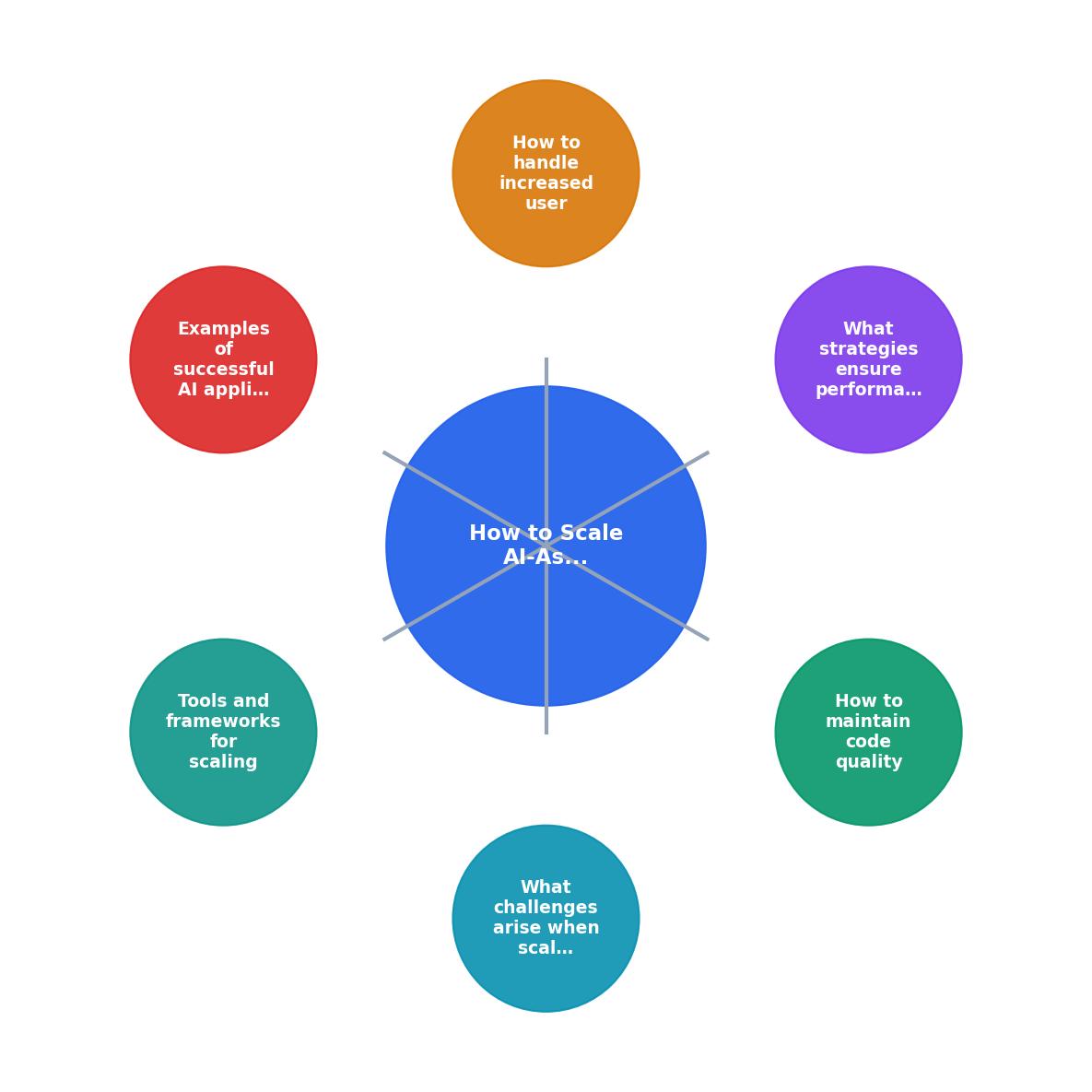
The steps in the diagram break down as follows:
- Audit the AI-generated codebase for scaling anti-patterns.
- Instrument with OpenTelemetry, structured logging, and metrics collection.
- Load test at 2x, 5x, and 10x expected traffic.
- Identify the primary bottleneck from test results.
- Refactor the bottleneck module (database queries, caching, async patterns).
- Scale horizontally or vertically based on the bottleneck type.
- Validate that SLOs hold under the new load.
- Repeat for the next bottleneck.
Tools and frameworks worth using
Not every tool fits every stack. Here is what works well for AI-assisted applications specifically:
Load testing:- k6 (Grafana Labs): scriptable in JavaScript, integrates with CI/CD, free tier is generous.
- Locust (Python): great if your team already writes Python, distributed load generation built in.
- OpenTelemetry: vendor-neutral instrumentation. Use it as your base layer regardless of backend.
- Grafana + Prometheus: open-source metrics and dashboards. Handles most teams' needs without paid tools.
- Datadog: if budget allows, the APM and trace visualization are excellent for distributed systems.
- Kubernetes: the standard for horizontal scaling. Use managed versions (EKS, GKE, AKS) unless you enjoy pain.
- Terraform: infrastructure as code prevents the "I scaled it manually and forgot how" problem.
- SonarQube: catches code smells, security vulnerabilities, and duplicated blocks the AI introduced.
- Codecov: coverage tracking integrated with GitHub PRs.
AI Application Scaling Readiness Checklist
Your progress is saved automatically in your browser.
FAQ
Frequently Asked Questions
Additional Resources
- HOW Definition & Meaning - 1. a : in what manner or way How did you two meet each other? How did he die? How do you know that? b : for what reason : why How would I know if it's going to ...
- how - Wiktionary, the free dictionary - (US, dialectal) What?, pardon? Noun. how (plural hows or how's). The means by which something is accomplished. I am not interested in the why, but in the how.
- HOW | definition in the Cambridge English Dictionary - HOW meaning: 1. in what way, or by what methods: 2. used to ask about someone's physical or emotional state…. Learn more.
Ready to Master Vibe Coding?
Learn to build software faster with AI assistance using the Vibe Coding Bible.
Get Started