Managing AI Coding Projects for Timely Delivery
Your team adopted AI coding tools three months ago. Velocity spiked for two weeks, then deadlines started slipping worse than before. The problem is not the AI itself but the project management layer around it, which was built for a world where humans wrote every line. Fixing that layer is what separates teams that ship on time from teams that drown in AI-generated technical debt.


Your team adopted AI coding tools three months ago. Velocity spiked for two weeks, then deadlines started slipping worse than before. The problem is not the AI itself but the project management layer around it, which was built for a world where humans wrote every line. Fixing that layer is what separates teams that ship on time from teams that drown in AI-generated technical debt.
TL;DR:- AI coding projects fail timelines not because AI is slow, but because traditional sprint planning ignores AI-specific risks like output variance, hallucinated dependencies, and review bottlenecks.
- Adapt Agile by adding explicit AI review gates, shorter iteration loops, and buffer time for validation.
- Use project tracking tools that surface AI-generated code metrics alongside velocity, and build risk registers that account for model behavior changes.
Why AI Projects Miss Deadlines
Standard software projects miss deadlines for predictable reasons: scope creep, unclear requirements, resource conflicts. AI coding projects inherit all of those and add a new category of problems that most engineering leads have never planned for.
The first issue is output variance. A developer using Cursor or Copilot can produce 400 lines in an hour on Monday and spend three hours on Tuesday debugging 40 lines the AI got subtly wrong. Sprint velocity becomes unreliable because the same task can take 10 minutes or 10 hours depending on how well the model handles that specific problem.
The second issue is review bottleneck inflation. AI generates code fast, but every line still needs human review. Teams that do not plan for this end up with a pile of pull requests that nobody has time to evaluate properly. Code ships unreviewed, bugs accumulate, and the next sprint gets consumed by fixes.
The third issue is invisible dependency risk. AI tools sometimes introduce packages, patterns, or API calls that nobody on the team chose deliberately. These phantom dependencies create maintenance and security burdens that surface weeks later, right when you thought the feature was done.
Adapting Agile for AI Workflows
Agile and Scrum still work. They just need recalibration. The core loop of plan, build, review, ship remains valid, but the timing and gates inside that loop change when AI writes a significant portion of the code.
Shorter sprints with validation gates. Move from two-week sprints to one-week sprints, or even three-day cycles for AI-heavy features. Each cycle ends with a mandatory validation step where the team checks AI-generated code against the architecture guidelines, not just functional requirements.
Separate estimation for AI-assisted tasks. Create two estimate categories in your backlog: AI-generatable (the model handles 80%+ of the implementation) and AI-assisted (the model helps but a human drives). AI-generatable tasks get a 1.5x review multiplier added to their estimate. AI-assisted tasks keep standard estimates.
Dedicated review slots. Block 20% of each developer's sprint capacity for reviewing AI-generated code. This is not optional overhead. It is the cost of using AI at team scale. If you skip it, you pay triple later in bug fixes.
Here is how the adapted workflow looks in practice:
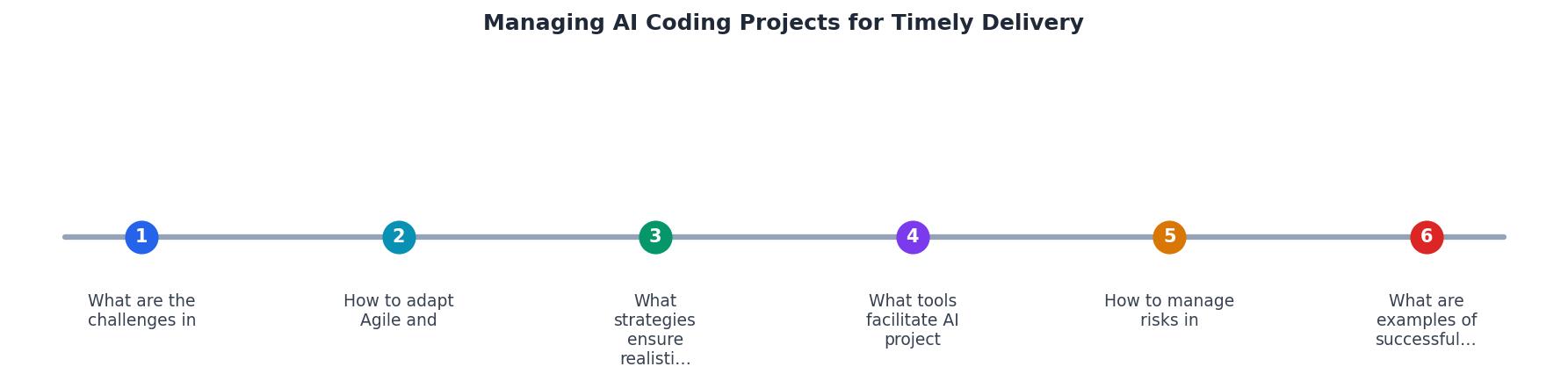
The diagram shows the key steps: Backlog Triage, AI Task Classification, Sprint Execution, AI Review Gate, Validation, and Ship. Each step feeds into the next, with the AI Review Gate acting as the critical quality checkpoint before anything moves to validation.
ai-generated or human-written labels. After four sprints, you will have hard data on which category causes more rework, and you can adjust estimates accordingly.Setting Realistic Timelines

Realistic timelines for AI coding projects come from measuring actual throughput, not from optimistic assumptions about AI speed. Here are concrete strategies that work:
- Baseline your team's AI-adjusted velocity. Track story points completed per sprint for eight weeks. Separate AI-heavy sprints from traditional ones. Use the lower of the two averages as your planning baseline.
- Add a 25% validation buffer. For every feature that relies on AI-generated code, add 25% to the timeline for review, testing, and fixing AI-introduced issues.
- Cap AI-generated code per sprint. Set a maximum percentage of new code that can come from AI tools in any single sprint. Start at 40% and adjust based on your team's review capacity.
- Use rolling forecasts, not fixed deadlines. Update delivery estimates weekly based on actual velocity, not the number you committed to in a planning meeting six weeks ago.
- Plan for model changes. AI tool updates can change code generation quality overnight. Build one "stabilization sprint" per quarter where the team absorbs tool updates and recalibrates.
"The remaining 30% is reserved for improving your financial future through saving, investing or paying down debt.">, MANAGING Synonyms: 200 Similar and Opposite Words
The same principle applies to sprint capacity: reserve a fixed percentage for improvement, review, and debt reduction. Teams that allocate 100% of capacity to feature work always miss deadlines.
Tools for AI Project Tracking
The right tooling makes AI project management visible instead of guesswork. Here is what works for different team sizes:
| Tool | Best For | AI-Specific Feature |
|---|---|---|
| Linear | Teams 5-30 | Cycle analytics, label-based filtering for AI PRs |
| Jira + Automation | Enterprise teams | Custom fields for AI task classification, burndown by code origin |
| GitHub Projects | Small teams, OSS | Direct PR integration, AI label workflows |
| Shortcut | Mid-size teams | Iteration reports, easy custom fields |
| Plane (self-hosted) | Privacy-conscious teams | Full control, API for custom AI metrics |
Beyond project boards, integrate these into your workflow:
- SonarQube or CodeClimate for automated quality gates on AI-generated code
- Dependabot or Renovate to catch phantom dependencies AI tools introduce
- PR size alerts (GitHub Actions or GitLab CI) that flag unusually large AI-generated commits
Managing Risks in AI Delivery

Every AI coding project needs a risk register that goes beyond standard software risks. Here are the categories to track:
Model drift risk. The AI tool you rely on updates its model, and code quality changes. Mitigation: pin model versions where possible, run regression tests after every tool update, maintain a rollback plan.
Knowledge gap risk. AI generates code using patterns your team does not understand. Mitigation: require that the PR author can explain every function the AI wrote. If they cannot, the PR does not merge.
Vendor lock-in risk. Your workflow depends on a single AI provider. Mitigation: abstract AI tool usage behind team conventions, not tool-specific features. Keep prompts and context files portable.
Security risk. AI-generated code may include vulnerable patterns, hardcoded secrets, or insecure defaults. Mitigation: run SAST (Static Application Security Testing) on every commit, not just releases. Tools like Semgrep catch AI-specific anti-patterns.
Compliance risk. AI-generated code may include snippets from training data with unclear licensing. Mitigation: use tools with code origin tracking (like GitHub Copilot's reference detection), and add license scanning to CI.
Real-World Delivery Patterns
Teams that ship AI-assisted projects on time share common patterns:
- They measure AI impact separately. They know exactly how much time AI saves and how much time AI review costs. The net number drives planning.
- They rotate AI review duty. Instead of one senior engineer reviewing all AI code, they rotate the responsibility weekly. This spreads knowledge and prevents burnout.
- They kill AI-generated features that fail review twice. If an AI-generated implementation fails code review two sprints in a row, they rewrite it manually. Sunk cost thinking kills timelines.
- They run weekly retros focused on AI tooling. A 15-minute standup every Friday: What did AI help with? What did AI break? What should we prompt differently?
Sprint Health Dashboard (Team of 8)
This dashboard tracks the metrics that matter: how many PRs come from AI, what percentage pass review on the first try, how many hours go to AI code review, and the net velocity gain after subtracting rework. Without these numbers, you are guessing.
AI Project Management Plan Template
Your progress is saved automatically in your browser.
FAQ
Frequently Asked Questions
Additional Resources
- MANAGING Synonyms: 200 Similar and Opposite Words - 1. as in handling to deal with (something) usually skillfully or efficiently as usual, she managed the crisis with a minimum of fuss.
- MANAGING | definition in the Cambridge English Dictionary - to be responsible for controlling or organizing someone or something, especially a business or employees: Has she had any experience of managing large projects?
- Management - Management (or managing) is the administration of organizations, whether businesses, nonprofit organizations, or government bodies through business ...
Ready to Master Vibe Coding?
Learn to build software faster with AI assistance using the Vibe Coding Bible.
Get Started