How do i enforce our coding standards on ai-generated code: Practical Guide
You asked your AI assistant to build a feature, and it delivered working code in thirty seconds. Then you looked at the output and found inconsistent naming, zero error handling, and a file structure that ignores every convention your project already uses. The gap between AI speed and code quality is where most AI-built projects start to rot. This guide gives you a concrete, repeatable system for making AI-generated code follow your standards from the first prompt to the merged commit.


You asked your AI assistant to build a feature, and it delivered working code in thirty seconds. Then you looked at the output and found inconsistent naming, zero error handling, and a file structure that ignores every convention your project already uses. The gap between AI speed and code quality is where most AI-built projects start to rot. This guide gives you a concrete, repeatable system for making AI-generated code follow your standards from the first prompt to the merged commit.
TL;DR:- Write a project-level rules file (
.cursorrules,CONVENTIONS.md, or system prompt) that tells the AI your naming, structure, and style expectations before it generates a single line. - Run automated linters and formatters on every save and every commit so non-compliant code never reaches your main branch.
- Review AI output the same way you review human output: diff it, test it, and reject what breaks the rules.
Why AI Code Drifts From Your Standards
AI models generate code based on statistical patterns across millions of repositories. Your project's specific conventions are a tiny signal in that ocean. Without explicit instructions, the AI defaults to generic patterns: camelCase when you use snake_case, class-based components when you prefer hooks, raw SQL when your codebase uses an ORM.
This is not a theoretical concern. Teams that skip enforcement end up with a codebase that looks like five different developers wrote it on five different days with five different style guides. Debugging becomes slower. Onboarding new contributors takes longer. And the "speed" you gained from AI evaporates in maintenance costs.
That progress bar is generous. Without a rules file, roughly 70% of AI-generated code will need manual corrections to match your conventions. With a rules file, that number drops dramatically.
Common Mistakes That Kill Consistency

Mistake 1: Trusting the AI to "just know" your style. It does not. Every AI session starts fresh unless you feed it context. If your naming convention lives only in your head, the AI will never follow it.
Mistake 2: Fixing output manually instead of fixing the prompt. You spot a violation, you correct it by hand, and you move on. Next generation, same violation. You are treating symptoms. The fix belongs in your rules file or system prompt.
Mistake 3: Skipping linters because "it's just a prototype." Prototypes become production code faster than anyone plans. The linter catches what the AI misses and what you overlook during a quick review. Disable it now, pay for it later.
Mistake 4: Writing a 50-page style guide and expecting the AI to absorb it. AI context windows are large but not infinite. A focused, prioritized rules file beats an exhaustive document. Lead with the rules that matter most: naming, file structure, error handling patterns, and import conventions.
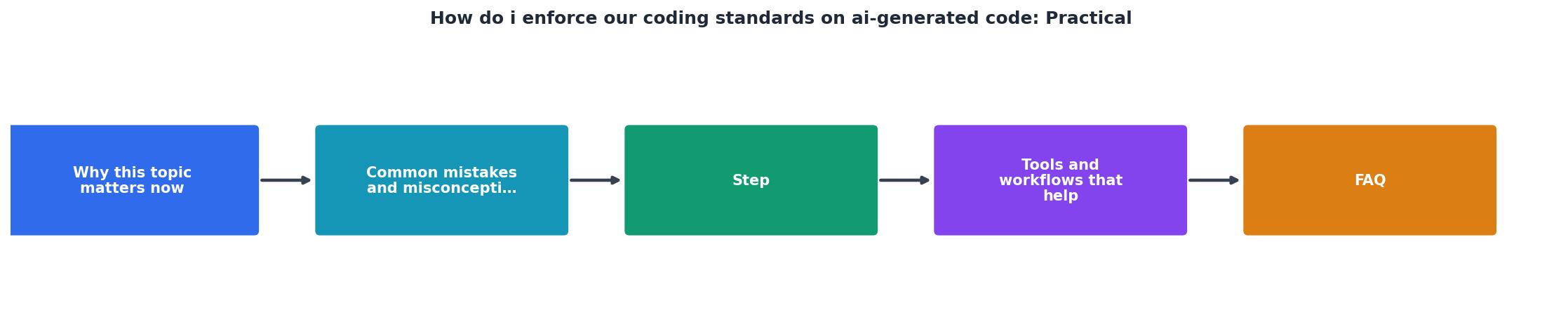
Step-by-Step Enforcement System

Here is the process, broken into five concrete steps. Each one builds on the previous.
1. Write Your Rules File
Create a file at the root of your project. If you use Cursor, name it .cursorrules. For other tools, CONVENTIONS.md or a system prompt template works. Include:
- Naming conventions:
snake_casefor functions,PascalCasefor classes, etc. - File structure: where new components go, how tests are organized.
- Error handling: always use try/catch, always log errors to a specific service.
- Import order: standard library first, third-party second, local third.
- Forbidden patterns: no
anytypes in TypeScript, no inline styles in React, no raw SQL queries.
2. Configure Automated Linting
Set up ESLint, Ruff, Pylint, RuboCop, or whatever linter fits your stack. Configure it to enforce the same rules from step 1. The linter is your safety net. It catches violations the AI introduces and violations you introduce yourself.
Run the linter on save (editor integration) and on commit (pre-commit hooks or lint-staged).
3. Add a Formatter
Prettier, Black, gofmt, rustfmt. Pick the standard formatter for your language and configure it. Formatters eliminate entire categories of style arguments. The AI generates code with two-space indentation? Your formatter rewrites it to four spaces on save. Done.
4. Gate Your CI Pipeline
Add a linting step to your CI/CD pipeline. If the linter fails, the build fails. No exceptions. This is the final gate before code reaches your main branch. It does not matter whether a human or an AI wrote the code. The same rules apply.
5. Review AI Output Like Any PR
Read the diff. Check that the AI followed your conventions. Look for subtle issues linters miss: wrong abstraction level, unnecessary complexity, duplicated logic that should be extracted. If the output is wrong, refine your prompt or rules file. Do not just fix it and move on.
"55% of engineering leaders are concerned about their teams losing shared understanding of how their codebase evolves.">, How to Standardize AI Code Generation Across Your Development Team
Tools and Workflows That Help

Here is a practical comparison of manual enforcement versus automated enforcement:
| Manual Enforcement | Automated Enforcement |
|---|---|
| Catch violations during code review | Catch violations on every save |
| Relies on reviewer knowledge | Relies on configured rules |
| Inconsistent across reviewers | Consistent every time |
| Slow feedback loop | Instant feedback |
| Scales poorly with more AI usage | Scales with zero extra effort |
Specific tools worth setting up:
- Cursor Rules /
.cursorrules: Project-level instructions that Cursor reads automatically. Every AI generation in that project follows your rules. - ESLint + Prettier (JavaScript/TypeScript): Lint for logic and style, format for whitespace and syntax.
- Ruff (Python): Extremely fast linter and formatter. Replaces Flake8, isort, and Black in one tool.
- pre-commit framework: Language-agnostic hook manager. Runs linters, formatters, and custom checks before every commit.
- GitHub Actions / GitLab CI lint step: Blocks merges when standards are violated.
CONVENTIONS.md to your repo even if your AI tool does not read it automatically. It serves as the single source of truth for both human and AI contributors. Copy the relevant sections into your AI tool's rules file.The following card shows what a typical enforcement pipeline looks like when all layers are active:
Enforcement Pipeline Layers
When all five layers are running, non-compliant code has no path to your main branch. The AI generates it, the linter flags it, the formatter fixes what it can, the pre-commit hook blocks the rest, and CI catches anything that slips through.
AI Code Standards Enforcement Checklist
Your progress is saved automatically in your browser.
FAQ
Frequently Asked Questions
.cursorrules for Cursor, a system prompt for ChatGPT or Claude, a custom instructions file for GitHub Copilot. The source of truth stays in one place; the tool-specific files are copies.What is the first coding standard you plan to add to your AI rules file? Share your approach below.
Additional Resources
- How to Standardize AI Code Generation Across Your ... - The solution isn't to write less AI-generated code. It's to give AI agents the same standards and conventions that human developers would follow ...
- A Practical Guide on Effective AI Use - AI as Your Peer ... - Coding Approach. Maintain consistent code style - AI generates better matches when surrounding code is consistent; Avoid clever solutions - AI ...
- Ten Simple Rules for AI-Assisted Coding in Science - This comprehensive guide introduces AI tools in scientific workflows and provides practical guidance that complements the principles outlined ...
Ready to Master Vibe Coding?
Learn to build software faster with AI assistance using the Vibe Coding Bible.
Get Started