Conducting AI Code Reviews: A Practical Checklist
AI-generated code ships fast, but it breaks in ways human-written code rarely does. Copilot, Cursor, and Claude Code can produce syntactically correct functions that silently ignore edge cases, leak credentials, or duplicate logic already in your codebase. This checklist gives you a repeatable process for catching those problems before they reach production, so you spend less time firefighting and more time building.

AI-generated code ships fast, but it breaks in ways human-written code rarely does. Copilot, Cursor, and Claude Code can produce syntactically correct functions that silently ignore edge cases, leak credentials, or duplicate logic already in your codebase. This checklist gives you a repeatable process for catching those problems before they reach production, so you spend less time firefighting and more time building.
TL;DR:- AI-generated code introduces more logic errors and security vulnerabilities than hand-written code on average.
- A structured review checklist covering correctness, security, performance, and style catches the most common AI mistakes.
- Combining manual review with AI-assisted tools like CodeRabbit, SonarQube, and Semgrep creates a layered defense that scales with your team.
Why AI Code Needs Stricter Reviews
Most code review guides assume a human wrote the code. That human understood the surrounding architecture, remembered the team's conventions, and had context about why a particular approach was chosen. AI has none of that. It generates plausible-looking code from statistical patterns, which means the failure modes are different.
"Some studies report roughly 1.7 times more defects overall, including about 75 percent more logic issues and nearly twice the number of security vulnerabilities.">, AI code review checklist that actually catches problems
Three categories of AI-specific bugs show up repeatedly:
- Hallucinated APIs - calling methods that don't exist in the version of the library you're using.
- Shallow error handling - wrapping everything in a generic
try/catchthat swallows real failures. - Context drift - generating code that works in isolation but contradicts patterns established elsewhere in the codebase.
The Review Process Step by Step
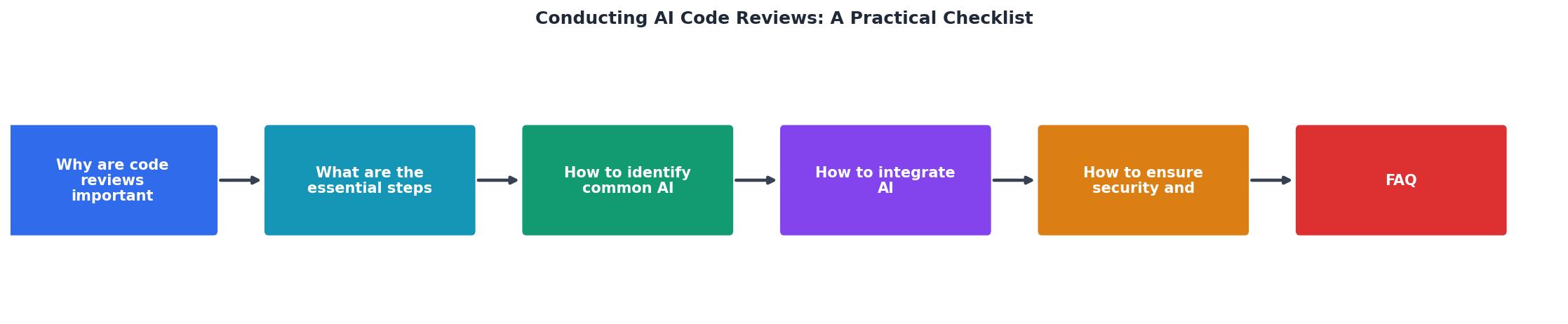
The diagram above shows five stages: Scope Check, Static Analysis, Logic Review, Security Scan, and Integration Test. Each stage has a specific goal and a clear pass/fail gate. Walk through them in order.
Scope Check
Before reading a single line, ask: does this diff do what the ticket or prompt asked for? AI tends to over-generate. You asked for a retry wrapper, and it also refactored the HTTP client, added logging, and changed the timeout defaults. Reject scope creep immediately. Smaller diffs are easier to verify.
Static Analysis
Run your existing linter and type checker. For TypeScript projects, tsc --noEmit catches type mismatches that AI introduces when it guesses at interfaces. For Python, mypy and ruff together flag unused imports, type errors, and style violations in seconds. This stage is fully automated and should block the PR if it fails.
Logic Review
This is where human judgment matters most. Read each function and ask:- What happens when the input is
null, empty, or at the boundary? - Does this duplicate logic that already exists in the codebase?
- Are the variable names accurate, or do they describe something the code doesn't actually do?
validatedUser might just be the raw input with no validation applied.
Security Scan
Run Semgrep or a similar SAST tool with rules for your language. Check specifically for:- Hardcoded secrets or API keys
- SQL injection via string concatenation
- Unvalidated user input passed to file system operations
- Overly permissive CORS or authentication bypasses
Integration Test
The final gate. Does the new code work with the rest of the system? Run the existing test suite, and if the AI-generated code lacks tests, write them before merging. No tests, no merge.
Common AI-Generated Errors
Here are the patterns that show up most often in real codebases, with concrete examples.
Off-by-one in pagination. AI frequently generates page pageSize instead of (page - 1) pageSize for offset calculations. The first page works. The second page skips a record. You won't catch this without a test that checks page boundaries.
Phantom dependencies. The generated code imports a package that isn't in your package.json or requirements.txt. It compiles locally because you have it installed globally. CI catches it if your pipeline does a clean install. If it doesn't, add that step now.
Stale API usage. GPT-4 and Claude were trained on data with a cutoff. They'll use moment.js instead of date-fns, or call a deprecated AWS SDK v2 method when your project uses v3. Check every import against your current dependency list.
Silent data loss. AI loves to write .catch(() => {}) in JavaScript or bare except: pass in Python. These swallow errors completely. Grep for empty catch blocks in every AI-generated PR.
The following dashboard shows the typical distribution of AI code issues found during reviews in a mid-size engineering team:
Typical AI Code Issues Found per Sprint
AI-Assisted Review Tools

Using AI to review AI-generated code sounds circular, but it works when you layer it correctly. The key is treating AI review tools as a first pass, not the final word.
CodeRabbit integrates directly into GitHub PRs and leaves inline comments about potential bugs, security issues, and style violations. It catches the obvious stuff so human reviewers can focus on architecture and logic.
SonarQube with its AI code detection rules flags code that looks machine-generated and applies stricter analysis. It tracks technical debt over time, which matters when AI-generated code accumulates faster than your team can review it.
Semgrep lets you write custom rules in YAML. Want to ban all uses of eval() in JavaScript or flag any SQL query built with f-strings in Python? Write the rule once, enforce it on every PR forever.
GitHub Copilot code review (available in Copilot Enterprise) can review PRs in the same environment where the code was generated. It's useful for catching inconsistencies between the prompt intent and the actual output.
| Manual Review Only | Manual + AI-Assisted Review |
|---|---|
| 30-60 min per PR | 10-20 min per PR |
| Catches ~60% of issues | Catches ~85% of issues |
| Reviewer fatigue on large diffs | AI pre-filters noise |
| Inconsistent across reviewers | Baseline consistency from tooling |
Security and Compliance Checks
AI-generated code has a specific security profile. It tends to use popular patterns from training data, which often means outdated or insecure defaults. Here's what to check:
- Dependency licensing. AI might pull in a GPL-licensed package into your MIT-licensed project. Run
license-checker(npm) orpip-licenses(Python) on every PR that adds dependencies. - Authentication and authorization. Verify that every new endpoint checks permissions. AI frequently generates CRUD endpoints with no auth middleware attached.
- Input validation. Check that user-supplied data is validated before it reaches the database, file system, or external API. AI often skips validation entirely or validates only the happy path.
- Secrets management. Search the diff for hardcoded strings that look like tokens, keys, or passwords. Tools like
gitleaksautomate this. - OWASP Top 10 alignment. For web applications, cross-reference AI-generated code against the OWASP Top 10. Injection, broken access control, and security misconfiguration are the three categories where AI fails most often.
AI Code Review Checklist
Your progress is saved automatically in your browser.
FAQ
Frequently Asked Questions
What's the most surprising AI-generated bug your team has caught during code review? The Vibe Coding Bible at vibecodingbible.org covers dozens of real-world examples like these. Share your experience in the comments.
Additional Resources
- AI code review checklist that actually catches problems - 2. Weak or Ineffective Error Recovery. Error handling in AI-generated code often appears present but incomplete. Reviewers frequently encounter ...
- The Checklist of my Code Review Practice - Remove empty methods and any unused generated code. This should include consistent ways of naming variables, code formatting, best practices ...
- Reviewing AI Generated Code: A Practical Checklist | Tenki Blog - AI agents can produce clean but incorrect code. Use a checklist to catch hallucinated APIs, weak tests, and missing edge cases in PRs.
Ready to Master Vibe Coding?
Learn to build software faster with AI assistance using the Vibe Coding Bible.
Get Started