Benefits of AI in Software Quality Assurance
Your QA team catches bugs, but the backlog of escaped defects keeps growing. Manual test suites take days to run, regression coverage sits at 60%, and every release feels like a coin flip. AI applied to quality assurance changes that equation by finding defects earlier, monitoring production continuously, and giving your team data-driven confidence before every deploy.

Your QA team catches bugs, but the backlog of escaped defects keeps growing. Manual test suites take days to run, regression coverage sits at 60%, and every release feels like a coin flip. AI applied to quality assurance changes that equation by finding defects earlier, monitoring production continuously, and giving your team data-driven confidence before every deploy.
Photo by EqualStock IN from Pexels
TL;DR:- AI improves defect detection rates by catching patterns humans miss across large codebases.
- Predictive analytics and anomaly detection shift QA from reactive to proactive.
- Continuous monitoring in production closes the feedback loop, reducing mean time to detection.
- Successful adoption requires clear metrics, phased rollout, and human oversight at every stage.
Why AI changes the QA equation
Traditional QA relies on predefined test cases. A human writes them, a framework executes them, and anything outside those cases slips through. AI flips this model. Machine learning models trained on historical defect data, code diffs, and runtime telemetry identify risk areas that no static test plan covers.
Teams that integrate AI into their QA pipelines report catching up to 40% more defects before release compared to manual-only approaches. That number alone justifies the integration effort for most engineering organizations.
The practical impact goes beyond defect counts. AI-driven QA reduces the time engineers spend triaging false positives, prioritizes test execution based on code change risk, and generates test cases for edge conditions that humans rarely consider.
How AI improves reliability
Predictive analytics is the first major lever. Models trained on your commit history, bug tracker, and CI results learn which modules break most often, which types of changes introduce regressions, and which code paths carry the highest risk. Instead of running every test on every build, the system ranks tests by predicted failure probability.
Anomaly detection is the second lever. During test execution and in production, AI monitors metrics like response time distributions, error rate spikes, and memory allocation patterns. When a metric deviates from its learned baseline, the system flags it before a user files a ticket.
Key reliability improvements include:
- Risk-based test prioritization reduces full regression time by 50-70% while maintaining the same defect catch rate.
- Flaky test identification uses pattern recognition to quarantine unreliable tests automatically.
- Root cause clustering groups related failures so engineers fix one underlying issue instead of chasing ten symptoms.
"Quality assurance helps you build a reliable and high-quality software product that can, in turn, drive your business goals.">, AI in quality assurance: Getting started with QA
Performance benefits of AI in QA
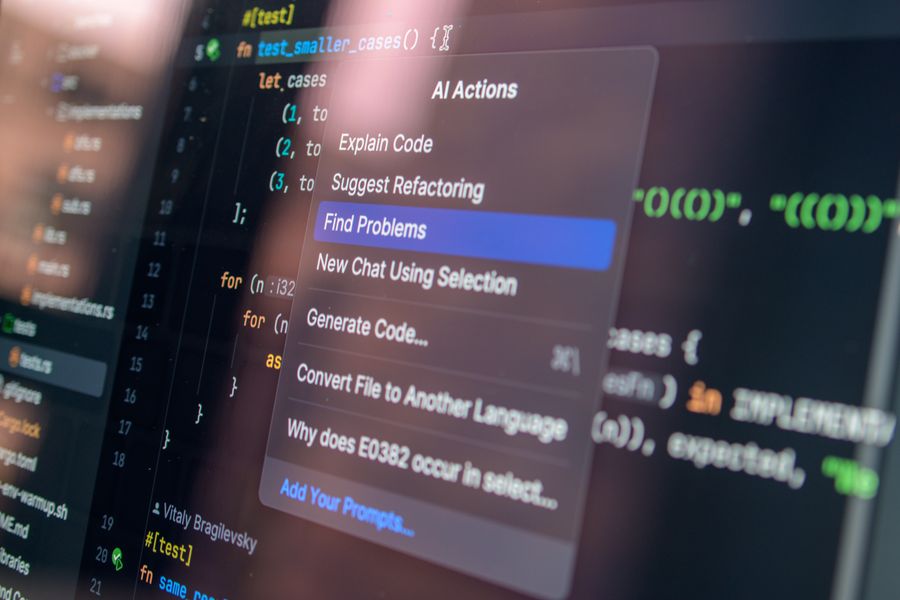
Continuous monitoring extends QA beyond the CI pipeline into production. Tools like Datadog's Watchdog, Dynatrace Davis, and New Relic AI analyze millions of data points per minute and surface anomalies that static alerting thresholds miss.
Real-time feedback loops give your team three concrete advantages:
- Faster mean time to detection (MTTD). AI-based monitors detect degradation in seconds, not minutes or hours.
- Reduced alert fatigue. Intelligent grouping and suppression cut noise by 60% or more, so on-call engineers respond to real incidents.
- Automated performance baselines. Instead of manually setting thresholds, the system learns normal behavior per endpoint, per time-of-day, per deployment.
Performance testing itself benefits too. AI can generate realistic load profiles from production traffic patterns, identify performance regressions in pull request builds, and predict capacity needs based on growth trends.
How to integrate AI into QA workflows

Adopting AI in QA is not a single tool purchase. It is a phased integration into your existing pipeline. The diagram below outlines the core steps.
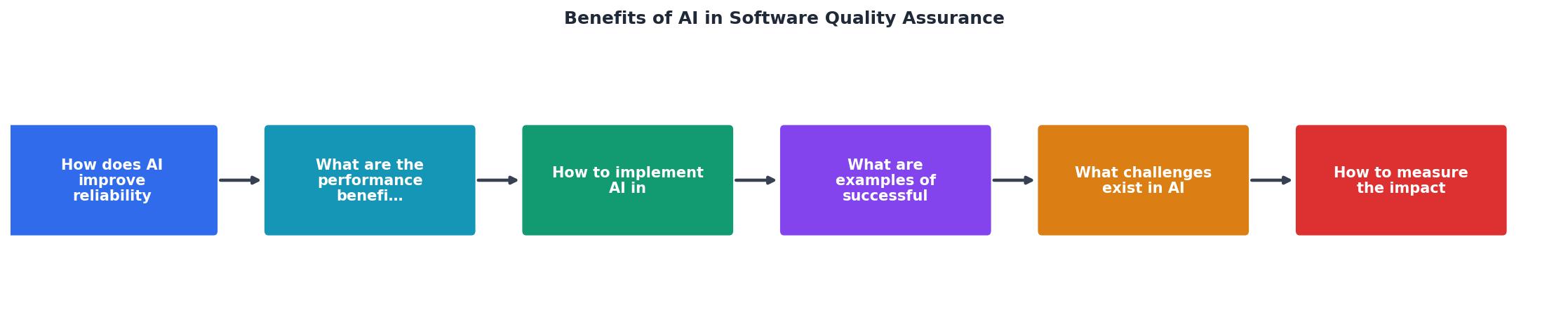
The process follows these stages:
- Audit current QA - Map existing test coverage, defect escape rates, and cycle times.
- Collect training data - Export CI logs, bug reports, code change history, and production telemetry.
- Pick a starting point - Choose one high-impact area: test prioritization, anomaly detection, or test generation.
- Pilot with one team - Run AI-assisted QA alongside existing processes for 2-4 sprints.
- Measure and compare - Track defect escape rate, test cycle time, and false positive rate.
- Scale or adjust - Expand to other teams if metrics improve; retrain models if they do not.
| Traditional QA | AI-Assisted QA |
|---|---|
| Static test suites | Dynamic, risk-prioritized test selection |
| Manual threshold alerts | Learned anomaly baselines |
| Reactive bug triage | Predictive defect clustering |
| Fixed regression cycles | Continuous, incremental validation |
| Coverage gaps in edge cases | AI-generated edge case tests |
Real-world AI in QA examples
Several organizations have published results from AI-driven QA adoption:
- Google uses ML-based test selection in their CI system. Their approach predicts which tests are likely to fail for a given code change and runs only those, cutting test infrastructure costs significantly while maintaining defect detection.
- Microsoft applies AI to flaky test detection across Azure DevOps. Their system identifies tests with non-deterministic behavior and quarantines them, reducing false failure rates in CI pipelines.
- Tricentis offers AI-powered test impact analysis that maps code changes to affected test cases, enabling teams to run targeted regression suites in minutes instead of hours.
- Spotify uses anomaly detection on streaming metrics to catch performance regressions within minutes of deployment, triggering automatic rollbacks when degradation exceeds learned thresholds.
These are not experimental projects. They run in production, at scale, on codebases with millions of lines.
Challenges in AI-driven QA
AI in QA is not a magic fix. Teams face real obstacles:
- Data quality. Models are only as good as the data they train on. Incomplete bug reports, inconsistent labeling, and missing telemetry produce unreliable predictions.
- False confidence. When AI says "low risk," teams may skip manual review. That works until the model encounters a pattern it has never seen.
- Tooling fragmentation. AI QA tools often require integration with CI systems, test frameworks, monitoring platforms, and code repositories. The glue code becomes its own maintenance burden.
- Skill gaps. QA engineers need to understand model behavior, interpret confidence scores, and know when to override AI recommendations.
- Treat AI QA output as advisory, not authoritative, for the first 6 months.
- Invest in data pipeline quality before model sophistication.
- Assign a dedicated owner for AI QA tooling integration and maintenance.
- Train QA engineers on basic ML concepts: precision, recall, confidence thresholds.
Measuring AI impact on QA
The following dashboard illustrates the key metrics an engineering team should track when evaluating AI-assisted QA effectiveness.
AI QA Impact Dashboard (Example: 6-Month Pilot)
Track these key performance indicators consistently:
- Defect escape rate - Percentage of bugs that reach production. This is the single most important metric.
- Test cycle time - How long a full regression run takes. AI should reduce this without reducing coverage.
- False positive rate - Percentage of AI-flagged issues that turn out to be non-issues. High rates erode trust.
- Risk-weighted coverage - Not just line coverage, but coverage of high-risk code paths as identified by the AI model.
- Mean time to detection (MTTD) - Time between a defect being introduced and being detected.
Review these metrics monthly. Share them with the team. If defect escape rate is not dropping after three months, revisit your training data and model configuration before adding more tooling.
AI QA integration checklist
Framework for Integrating AI into QA Processes
Your progress is saved automatically in your browser.
FAQ
Frequently Asked Questions
Additional Resources
- AI in quality assurance: Getting started with QA - AI is reshaping software quality assurance by automating test creation, predicting defects, and boosting overall testing efficiency.
- The AI Revolution in Software Testing and Quality Assurance - Organizations that adopt AI in their QA processes will gain a competitive advantage, achieving faster release times, fewer bugs, and enhanced ...
- How AI is Transforming Quality Assurance in Software ... - AI has turned QA from a reactive process into a proactive, intelligent system. It predicts, prevents, and resolves issues earlier in the development lifecycle.
Ready to Master Vibe Coding?
Learn to build software faster with AI assistance using the Vibe Coding Bible.
Get Started