Balancing AI and Human Roles in Coding Teams
Your team adopted Copilot three months ago. Two engineers use it for everything, three refuse to touch it, and the rest generate code they never review. The result is a codebase with inconsistent quality, mysterious bugs nobody owns, and a growing sense that AI adoption happened to you rather than being led by you. Fixing this starts with explicit role boundaries between what AI handles and what humans own.

Your team adopted Copilot three months ago. Two engineers use it for everything, three refuse to touch it, and the rest generate code they never review. The result is a codebase with inconsistent quality, mysterious bugs nobody owns, and a growing sense that AI adoption happened to you rather than being led by you. Fixing this starts with explicit role boundaries between what AI handles and what humans own.
TL;DR:- Define which tasks AI owns (boilerplate, test scaffolding, docs) and which stay human (architecture, security review, domain logic).
- Restructure team workflows around AI as a tool layer, not a team member replacement.
- Measure outcomes (defect rate, cycle time, review burden) to adjust the balance continuously.
Why role clarity matters now
Every engineering team using AI tools faces the same tension: AI generates code fast, but nobody agreed on who checks it, who owns it, or where it fits in the review pipeline. Without explicit role definitions, you get shadow adoption. Some engineers lean on AI for critical path work without review. Others avoid it entirely and resent the productivity gap.
The cost of ambiguity is real. When AI-generated code enters a pull request without clear ownership, reviewers spend extra cycles figuring out intent. Bugs slip through because the author assumed the AI "got it right" and the reviewer assumed the author verified it. Role clarity eliminates this guesswork. It tells every person on the team exactly what AI handles, what humans handle, and where the handoff happens.
Delineate AI and human tasks
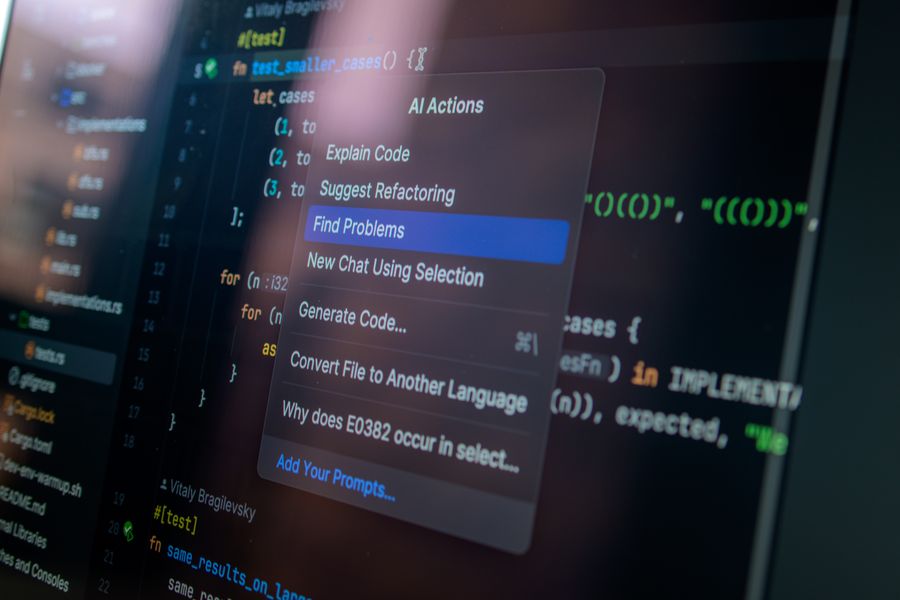
Start with a simple split. List every recurring task in your development cycle and assign it to one of three categories: AI-led, human-led, or AI-assisted (human decides, AI accelerates).
Here is a practical breakdown that works for most product teams:
AI-led tasks (AI does the work, human spot-checks):- Generating boilerplate code (CRUD endpoints, data models, config files)
- Writing initial unit test scaffolds
- Producing docstrings and inline documentation
- Converting designs to component markup
- Formatting, linting, and simple refactors
- Architecture decisions and system design
- Security review and threat modeling
- Domain-specific business logic validation
- Performance-critical algorithm selection
- Incident response and root cause analysis
- Code review with AI-generated summaries
- Debugging with AI-suggested fixes (human verifies)
- Writing integration tests (AI drafts, human validates edge cases)
- Refactoring legacy code (AI proposes, human approves)
| AI-Led | Human-Led | AI-Assisted |
|---|---|---|
| Boilerplate generation | Architecture decisions | Code review summaries |
| Test scaffolding | Security review | Debugging suggestions |
| Documentation drafts | Domain logic validation | Legacy refactoring |
| Formatting & linting | Incident response | Integration test drafts |
Integrate AI as a tool layer

AI is not a team member. It is a tool layer that sits between the engineer and the codebase. Treating it as a colleague creates accountability gaps. Treating it as a tool keeps ownership clear.
Practical integration looks like this:
- IDE-level: Copilot, Cursor, or Cody run inside the editor. Engineers use completions for AI-led tasks. They toggle suggestions off when working on human-led tasks like security-sensitive code.
- CI/CD-level: AI-powered static analysis (CodeGuru, Snyk Code) runs automatically on every PR. It flags issues, but a human reviewer makes the final merge decision.
- Planning-level: AI summarizes tickets, generates acceptance criteria drafts, and suggests story point estimates. The product owner and tech lead approve.
"A majority of customer service leaders (85%) plan to explore or pilot a customer-facing conversational GenAI solution in 2025.">, Learn how leaders balance AI and humans in the workplace.
This trend extends beyond customer service. Engineering leaders face the same pressure to adopt AI while keeping quality intact. The answer is the same: structured integration with human oversight at every decision point.
Adapt team structures

Traditional team structures assume all code is human-written. AI changes the math. A single engineer with good AI tooling can produce the output that previously required two or three people for boilerplate-heavy features. That does not mean you cut headcount. It means you redistribute effort.
Three structural changes that work:
- Create an AI tooling owner role. One engineer (rotating quarterly) owns the team's AI tool configuration, prompt libraries, and custom instructions. They track which tools the team uses, evaluate new ones, and maintain shared context files for Cursor or Copilot Workspace.
- Shift review toward AI-generated code. If 40% of new code comes from AI, your review process needs to account for that. Add a "generated" label to PRs with significant AI output. Reviewers know to check for hallucinated imports, incorrect error handling, and missing edge cases.
- Invest saved time in human-led work. The hours saved on boilerplate go into architecture reviews, security audits, and technical debt reduction. Track this explicitly. If your team saves 10 hours per sprint on boilerplate, those 10 hours should appear as planned capacity for human-led tasks.
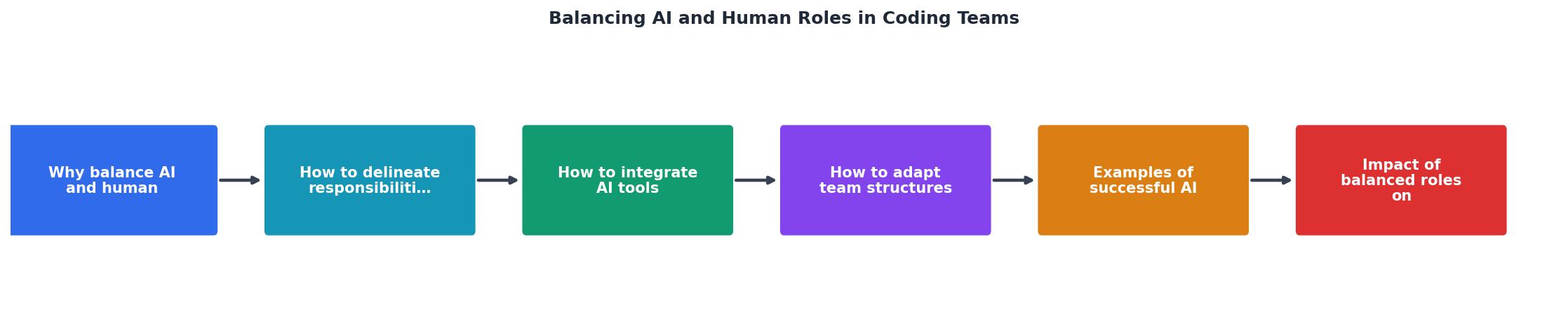
The diagram above shows the flow: tasks enter the pipeline, get classified (AI-led, human-led, AI-assisted), route to the right handler, pass through human validation, and ship. Every path includes a human checkpoint.
Real-world examples
Shopify's AI pair programming rollout. Shopify adopted AI coding tools across engineering and reported that developers using Copilot completed tasks faster on boilerplate-heavy work. Their approach: AI handles repetitive code, engineers focus on system design and code review. They did not replace reviewers. They gave reviewers better tools.
GitLab's internal AI policy. GitLab published internal guidelines for AI-assisted development. Engineers must review all AI-generated code with the same rigor as human-written code. AI suggestions in security-sensitive areas require a second reviewer. The policy is public, versioned, and updated quarterly.
Startups using Cursor with shared rules files. Teams of 3-5 engineers share .cursorrules files that encode project conventions. AI-generated code follows the same patterns as human-written code. The result: PRs look consistent regardless of whether AI or a human wrote the initial draft.
The following interactive card summarizes how a balanced AI-human team typically allocates effort across a sprint:
Sprint Effort Allocation (Example: 10-Day Sprint)
Measure and adjust the balance
A role split that works in month one will drift by month three. Engineers get more comfortable with AI and start using it for tasks that should stay human-led. Or they stop using it entirely after a bad experience. You need metrics to catch drift early.
Track these four numbers every sprint:
- Defect rate by origin. Tag bugs as "AI-generated code" or "human-written code." If AI-origin defects spike, tighten the review process for AI-led tasks.
- Cycle time per task category. Measure how long AI-led, human-led, and AI-assisted tasks take. If AI-assisted tasks take longer than human-led ones, the tooling is slowing people down.
- Review burden. Count review comments per PR for AI-heavy vs. human-heavy PRs. Rising comments on AI PRs signal that generated code quality is dropping.
- Time reallocation. Track whether saved hours actually go to human-led work or just disappear into meetings.
AI-Human Role Balance Implementation Checklist
Your progress is saved automatically in your browser.
The Vibe Coding Bible at vibecodingbible.org covers team-level AI adoption strategies in depth, including policy templates and review checklists you can adapt for your own team.
FAQ
Frequently Asked Questions
Additional Resources
- Learn how leaders balance AI and humans in the workplace. - Organizations that balance AI capabilities with human judgment can enhance productivity, improve decision-making, and deliver more meaningful ...
- Strategies to Balance AI and Human Roles - Tailored Role Assignments Enhance Human Learning. Humans in teams can act as coaches, mentors, or peers to AI agents. This dynamic enables human participants ...
- Balancing AI and Human Intelligence - AI is a potent tool in the hands of organizations and needs to be balanced with human intervention. Learn about the challenges and benefits ...
Ready to Master Vibe Coding?
Learn to build software faster with AI assistance using the Vibe Coding Bible.
Get Started