Using AI to Improve Project Management in Software Development
You shipped the first version of your app in a weekend using AI. Now you have twelve open issues, three half-finished features, a vague launch date, and no idea what to work on next. The building part got faster, but the organizing part stayed stuck in spreadsheets and gut feelings. AI can fix that too, and it does not require a PMP certification or a dedicated project manager to get started.


You shipped the first version of your app in a weekend using AI. Now you have twelve open issues, three half-finished features, a vague launch date, and no idea what to work on next. The building part got faster, but the organizing part stayed stuck in spreadsheets and gut feelings. AI can fix that too, and it does not require a PMP certification or a dedicated project manager to get started.
Photo by Yan Krukau from Pexels
TL;DR:- AI automates the tedious parts of project management: scheduling, task prioritization, workload balancing, and risk detection.
- Tools like Trello, Asana, Linear, and Notion already ship AI features that indie developers and small teams can use today.
- You do not need to replace your workflow. You layer AI on top of it, starting with one or two automations and expanding from there.
Why AI belongs in your project workflow
Most solo builders and small teams skip formal project management. It feels like overhead. You have a Trello board with three columns and a mental list of priorities. That works until the project grows past a dozen tasks, a second contributor joins, or a deadline actually matters.
AI-assisted project management does not mean handing control to an algorithm. It means letting software handle the repetitive decisions: which task is most urgent, whether the timeline is realistic, and where bottlenecks are forming. You keep the strategy. AI handles the bookkeeping.
That number keeps climbing. The shift is not theoretical. Teams are already using AI to triage backlogs, estimate effort, and flag risks before they derail a sprint.
Key AI features in project management
Not every AI feature matters equally for a small team. Here are the ones that deliver real value when you are building with limited time and people:
- Smart task prioritization - AI ranks your backlog based on deadlines, dependencies, and estimated effort. Asana's AI "Smart Status" and Linear's auto-priority both do this.
- Automated scheduling - Given task durations and dependencies, AI generates a realistic timeline. No more guessing whether "two weeks" is optimistic or delusional.
- Workload balancing - For teams of two or more, AI distributes tasks so nobody is overloaded while someone else waits.
- Natural language task creation - Describe what needs to happen in plain English. The tool creates structured tasks with labels, assignees, and due dates.
- Predictive risk alerts - AI flags tasks that are likely to slip based on historical patterns and current velocity.
- Standup and status summaries - AI generates daily or weekly summaries from task activity, eliminating the "what did I do yesterday?" problem.
How AI automates scheduling
Scheduling by hand means opening a calendar, counting days, and hoping your estimates are right. AI scheduling tools ingest your task list, estimate durations based on similar past work, and produce a timeline that accounts for dependencies.
Trello uses its Butler automation plus AI suggestions to auto-assign due dates when cards move between lists. Asana offers AI-generated project timelines that adjust when tasks slip. Linear calculates cycle analytics and projects completion dates based on your team's actual throughput.
Here is what this looks like in practice for a solo developer shipping a SaaS product:
- You create 15 tasks for your next release.
- AI estimates each task at 2 to 8 hours based on complexity signals (labels, description length, similar past tasks).
- The tool generates a two-week schedule, placing high-dependency tasks first.
- When you finish a task early, the schedule compresses automatically.
The time savings compound. Every hour you do not spend rearranging a Gantt chart is an hour spent building.
AI for risk management
Predictive analytics is where AI earns its keep in project management. Instead of discovering a problem when a deadline passes, AI spots the pattern days or weeks earlier.
Risk signals AI tools monitor:
- Velocity drops - If your completion rate slows, AI flags the trend before you consciously notice it.
- Blocked dependencies - A task that blocks three others and has not moved in two days triggers an alert.
- Scope creep indicators - New tasks added mid-sprint without removing others signal an expanding scope.
- Overdue patterns - If a specific type of task (e.g., "API integration") consistently takes longer than estimated, AI adjusts future estimates upward.
"Applying artificial intelligence to project management enables greater speed, productivity, and a more efficient future.">, How Artificial intelligence is used in project management
For indie developers, this matters because you do not have a project manager watching the board. AI acts as that second pair of eyes.
Integrating AI into your workflow
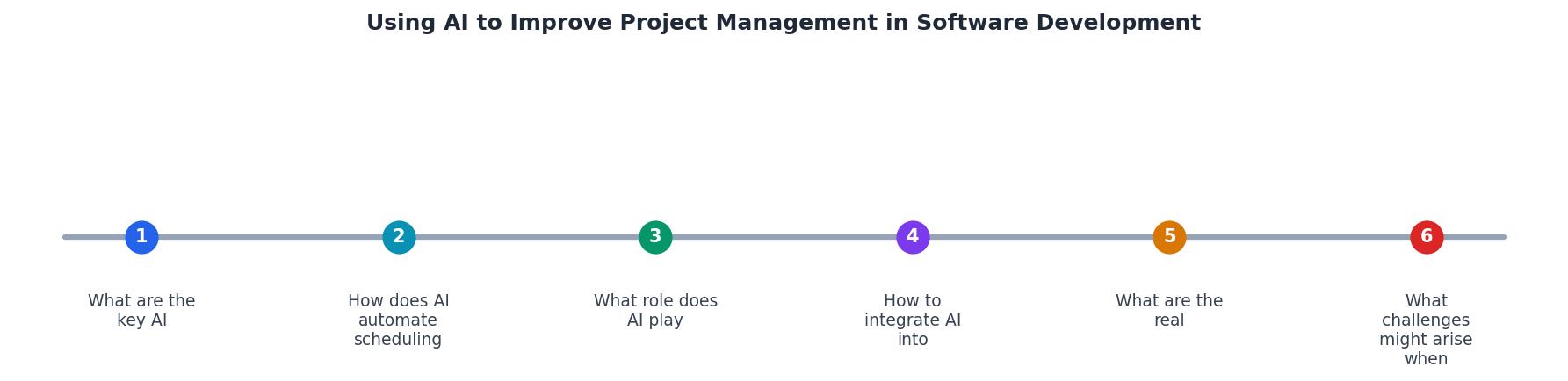
You do not need to rip out your current tools. The integration path follows these steps: Audit current tools, Enable AI features, Automate one workflow, Review results, Expand gradually.
Step 1: Audit current tools. Check whether your existing project management tool already has AI features. Trello, Asana, Notion, Linear, Monday.com, and ClickUp all ship AI capabilities in their current plans.
Step 2: Enable AI features. Most tools gate AI behind a toggle or a plan upgrade. Turn on AI suggestions, smart scheduling, or auto-prioritization. This usually takes five minutes.
Step 3: Automate one workflow. Pick the most repetitive task. For most people, that is either task creation from meeting notes or weekly status reports. Set up one automation and use it for two weeks.
Step 4: Review results. After two weeks, check whether the automation saved time or created noise. If it generated irrelevant suggestions, adjust the inputs. If it saved time, keep it.
Step 5: Expand gradually. Add a second automation. Then a third. Each one should solve a specific friction point, not add complexity for its own sake.
Real-world benefits for small teams

The benefits are concrete and measurable:
- Faster triage. A two-person team using Linear's AI priority reduced their weekly backlog grooming from 45 minutes to 10 minutes.
- Fewer missed deadlines. Predictive alerts catch slipping tasks early enough to adjust scope or timelines.
- Better estimates. AI-adjusted estimates based on historical data are consistently closer to reality than human guesses.
- Less context switching. Automated status summaries mean you stop interrupting deep work to update a board.
The following dashboard illustrates what a typical solo developer's AI-enhanced project management setup looks like after one month of use:
Example: Solo Dev PM Dashboard (Month 1)
Data based on a typical indie SaaS project with ~60 tasks/month using Linear + AI features.
Common pitfalls and how to avoid them
AI in project management is not magic. Here are the traps small teams fall into:
- Over-relying on AI estimates. AI estimates improve over time, but they need historical data. For a brand-new project type, your own judgment is still better for the first few sprints.
- Ignoring AI suggestions. If you dismiss every recommendation, the tool stops being useful. Treat suggestions as a starting point, not noise.
- Tool hopping. Switching from Trello to Asana to Linear every month resets your AI's learning. Pick one tool and commit for at least three months.
- Automating the wrong things. Automating task creation is high-value. Automating task descriptions with AI-generated text often produces generic filler. Focus on workflow automation, not content generation.
- Skipping the review step. AI suggestions drift if your project changes direction. Review your automations monthly and prune the ones that no longer match your workflow.
| Manual PM Approach | AI-Enhanced PM Approach |
|---|---|
| Weekly grooming meetings | Continuous auto-prioritization |
| Gut-feel estimates | Data-driven time predictions |
| Missed risks until deadline | Early predictive alerts |
| Manual status reports | Auto-generated summaries |
| Static schedules | Dynamic, self-adjusting timelines |
AI Project Management Integration Checklist
Your progress is saved automatically in your browser.
For a deeper dive into building AI-assisted workflows that hold up in production, the Vibe Coding Bible covers project management strategies alongside code quality, testing, and deployment practices.
FAQ
Frequently Asked Questions
What is the first project management task you would hand off to AI? Share your pick and your current tool setup in the comments.
Additional Resources
- Artificial Intelligence in Project Management - AI is reshaping project management: streamlining execution, enhancing decision-making and enabling teams to deliver with greater precision and impact. Just as ...
- How Artificial intelligence is used in project management - Project managers can use AI algorithms to analyze historical project data and create optimized schedules and implement machine learning models to predict task ...
- How to Use AI for Project Management: A Complete Guide - Using AI for project management helps teams and leaders optimize resource allocation, automate tasks, and enhance decision-making.
Ready to Master Vibe Coding?
Learn to build software faster with AI assistance using the Vibe Coding Bible.
Get Started