AI Coding Workflow for JavaScript: A Practical Guide
You built a working JavaScript app with AI assistance, and it ran fine on localhost. Then you pushed it to production, a user hit an edge case, and the whole thing collapsed. The gap between AI-generated JavaScript that demos well and AI-generated JavaScript that ships reliably is not about the AI model you pick. It is about the workflow you wrap around it.


You built a working JavaScript app with AI assistance, and it ran fine on localhost. Then you pushed it to production, a user hit an edge case, and the whole thing collapsed. The gap between AI-generated JavaScript that demos well and AI-generated JavaScript that ships reliably is not about the AI model you pick. It is about the workflow you wrap around it. This guide gives you the exact steps to set up that workflow so your AI-assisted JavaScript projects survive contact with real users.
TL;DR:- Set up a structured JavaScript environment with linting, testing, and type checking before you bring AI into the loop.
- Use AI libraries like TensorFlow.js, Brain.js, and Transformers.js for on-device inference, and LLM APIs (OpenAI, Anthropic) for generative tasks.
- Follow a define-generate-validate-refine cycle: specify what you need, let AI draft it, then verify with automated tests and manual review.
Why AI belongs in JavaScript projects
JavaScript runs everywhere: browsers, servers, edge functions, mobile apps. That reach makes it the natural choice when you want AI features close to the user. A recommendation engine in the browser. A text classifier on a Node.js backend. A chatbot embedded in a React component. None of these require switching to Python if your workflow is set up correctly.
The real benefit is not speed of writing code. It is speed of iteration. AI assistants like Cursor, GitHub Copilot, and Claude can generate boilerplate, suggest test cases, and refactor modules in seconds. But only if your project structure gives them enough context to produce useful output.
package.json, clear folder conventions, and TypeScript types give AI tools far better signal than a flat directory of unnamed .js files.Set up your environment first

Before you write a single AI-assisted line, lock down the foundation. This is where most non-engineer builders skip steps and pay for it later.
- Node.js LTS (v20 or v22): Use
nvmorfnmto manage versions. Pin the version in.nvmrc. - Package manager: Pick
npm,pnpm, oryarnand commit a lockfile. AI tools sometimes suggest different install commands; a lockfile keeps dependencies deterministic. - TypeScript: Even if you prefer plain JS, adding
tsconfig.jsonwithcheckJs: truegives AI assistants type information to generate better code. - ESLint + Prettier: Autoformat on save. AI-generated code often has inconsistent style; a formatter normalizes it instantly.
- Testing framework: Vitest or Jest. Set up at least one passing test before you start generating code.
- Git hooks: Use
husky+lint-stagedto run linting and tests before every commit. This catches AI-generated mistakes before they reach your repo.
That stack takes about 15 minutes to configure. It saves hours of debugging AI output that looked correct but broke silently.
JavaScript AI libraries worth knowing

The JavaScript AI ecosystem has matured significantly. Here are the libraries that actually get used in production:
- TensorFlow.js: Run trained models in the browser or Node.js. Good for image classification, pose detection, and custom model inference. Supports GPU acceleration via WebGL and WebGPU.
- Transformers.js: Hugging Face's library for running transformer models (text generation, sentiment analysis, embeddings) directly in JavaScript. Works with ONNX Runtime.
- Brain.js: Lightweight neural network library. Useful for simple pattern recognition tasks where you do not need a full TensorFlow setup.
- LangChain.js: Orchestration framework for chaining LLM calls, retrieval-augmented generation, and agent workflows. The JavaScript port mirrors the Python version closely.
- Vercel AI SDK: Streaming-first SDK for building chat interfaces and generative UI with React, Next.js, or Svelte. Handles provider switching (OpenAI, Anthropic, Google) with a unified API.
- OpenAI SDK / Anthropic SDK: Official client libraries for calling GPT-4, Claude, and other models via API. These are your go-to for generative text, code, and structured output.
| Library | Best For | Runs In Browser | Runs In Node.js |
|---|---|---|---|
| TensorFlow.js | ML model inference | Yes | Yes |
| Transformers.js | NLP tasks, embeddings | Yes | Yes |
| Brain.js | Simple neural nets | Yes | Yes |
| LangChain.js | LLM orchestration | Partial | Yes |
| Vercel AI SDK | Chat UI, streaming | Yes (React) | Yes |
| OpenAI/Anthropic SDK | API calls to LLMs | No | Yes |
Integrate AI into your workflow
This is the core process. It is not "ask AI, paste code, ship." It is a loop with checkpoints.
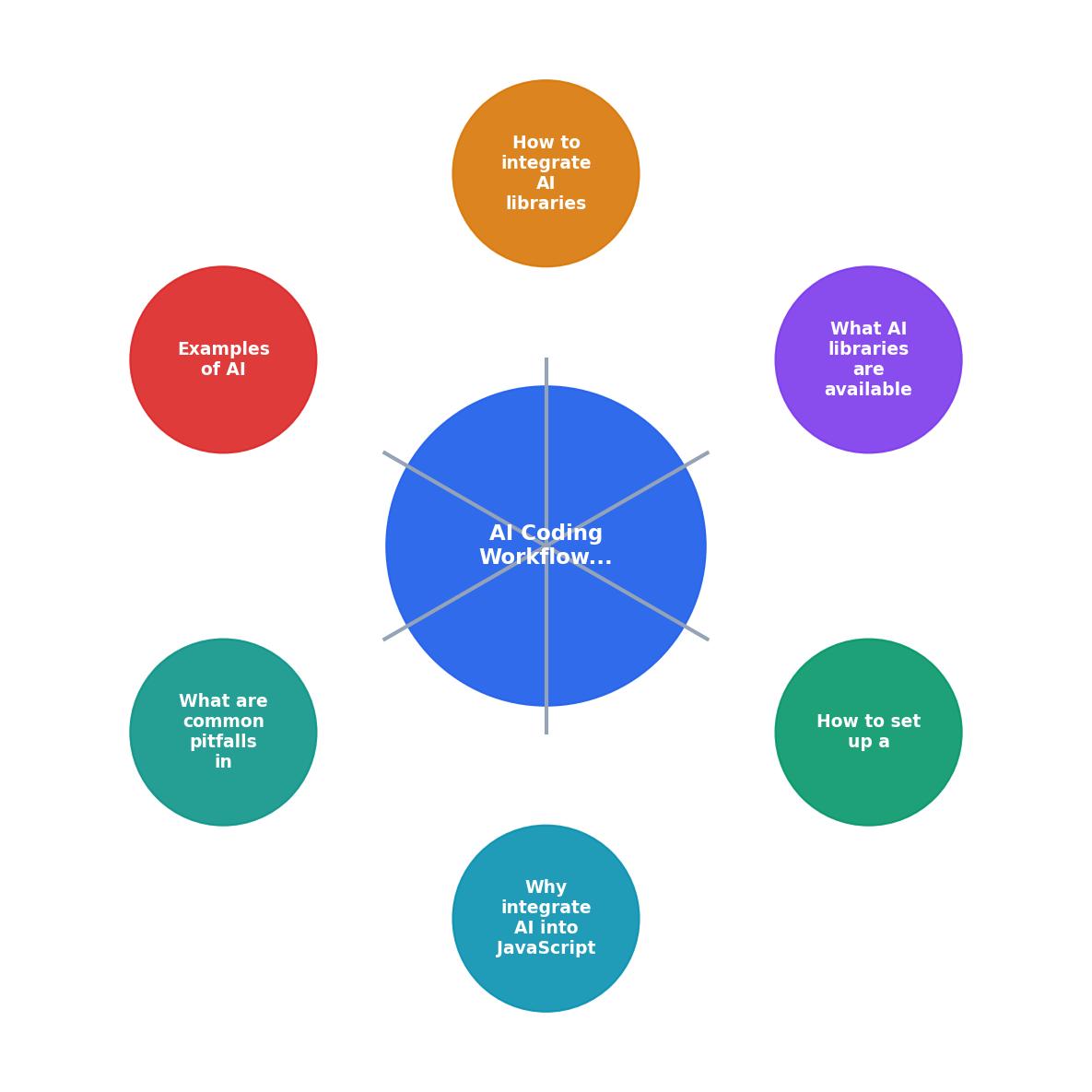
The workflow follows four stages: Define, Generate, Validate, Refine.
Define means writing a clear specification before you prompt. That could be a TypeScript interface, a test file with expected inputs and outputs, or a plain-English description in a markdown file your AI tool can read. The more specific the spec, the less you fix later.
Generate is where AI does its work. Use your editor's AI assistant (Cursor, Copilot) for inline code, or call an API for larger generation tasks. Keep generated files small and focused. One function per prompt produces better results than "build me the whole module."
Validate runs automatically. Your pre-commit hooks catch lint errors and type mismatches. Your test suite catches logic bugs. If you wrote the test first (and you should), a failing test tells you exactly what the AI got wrong.
Refine is the human step. Read the generated code. Understand it. If you cannot explain what a function does, rewrite it or ask the AI to simplify. Code you do not understand is code you cannot debug at 2 AM when production breaks.
"The total output of your team won't go up by 30%, especially in large organizations.">, A Practical Guide on Effective AI Use
That quote matters because it resets expectations. AI does not replace your judgment. It accelerates the parts of coding that are mechanical, so you can spend more time on the parts that require thought.
Real examples of AI-enhanced JS apps

Here are three concrete use cases where AI and JavaScript work together in production:
1. In-browser sentiment analysis. A SaaS feedback tool uses Transformers.js to classify user comments as positive, negative, or neutral without sending data to a server. The model loads once, runs on the client, and keeps user text private. Setup: npm install @xenova/transformers, load a distilled sentiment model, call pipeline('sentiment-analysis').
2. AI-powered search with embeddings. An e-commerce site generates vector embeddings for product descriptions using the OpenAI SDK on the server side, stores them in a vector database (Pinecone, Weaviate), and runs similarity search when users type queries. The JavaScript backend handles embedding generation, storage, and retrieval in a single Express.js service.
3. Code generation inside a developer tool. A browser-based code editor uses the Vercel AI SDK to stream code suggestions from Claude. The user types a comment describing what they want, the tool sends context (current file, imports, types) to the API, and streams the response token by token into the editor. TypeScript types in the project give the AI enough context to produce code that compiles on the first try about 70% of the time.
Here is an example dashboard showing typical metrics from an AI-assisted JavaScript project after adopting the Define-Generate-Validate-Refine workflow:
AI-Assisted JS Project Metrics
Common pitfalls to avoid
Six mistakes that trip up JavaScript developers using AI tools:
- No tests before generation. If you generate code without a test to validate it, you are guessing whether it works. Write the test first. Always.
- Trusting
anytypes. AI tools sometimes produce TypeScript withanyscattered everywhere. That defeats the purpose of type checking. Rejectanyin code review. - Ignoring bundle size. TensorFlow.js adds significant weight to a browser bundle. Use dynamic imports and tree-shaking. Do not load a 15 MB model on page load.
- Hardcoding API keys. AI-generated code frequently includes API keys inline. Use environment variables (
process.env.OPENAI_API_KEY) and.envfiles excluded from git. - Skipping error handling. LLM API calls fail. Networks time out. Models return unexpected formats. AI-generated code rarely includes robust error handling. Add try/catch blocks and fallback behavior manually.
- Copy-pasting without reading. The fastest way to accumulate technical debt is to paste AI output without understanding it. If a function is longer than 20 lines and you cannot explain each line, break it down.
AI JavaScript Workflow Setup Checklist
Your progress is saved automatically in your browser.
FAQ
Frequently Asked Questions
npm install openai for API access, or npm install @xenova/transformers for local inference. Store API keys in .env files, never in source code. This foundation takes about 15 minutes and prevents the most common AI-coding mistakes.any types that remove type safety, and hardcoding API keys in source files. Close behind: ignoring bundle size when adding ML libraries to browser apps, skipping error handling on API calls, and pasting generated code without reading it. Each of these is preventable with the workflow described in this guide.What does your current AI-assisted JavaScript workflow look like, and where does it break down? The Vibe Coding Bible at vibecodingbible.org covers these patterns in depth if you want to go further.
Additional Resources
- A Practical Guide on Effective AI Use - AI as Your Peer ... - Learn how to effectively use AI coding assistants beyond simple prompts. Discover proven workflows, best practices, and strategies that ...
- My LLM coding workflow going into 2026 - Steer your AI assistant by providing style guides, examples, and even “rules files” - a little upfront tuning yields much better outputs. One ...
- Keep Agentic AI Simple: A Practical Workflow for Software ... - From using AI as a simple code completion tool, to a tool to generate tests or simple isolated enhancements and smaller tasks, I started to see ...
Ready to Master Vibe Coding?
Learn to build software faster with AI assistance using the Vibe Coding Bible.
Get Started