
You described your API endpoint in plain English, the AI generated 200 lines of FastAPI code, and everything looked great until the first real request hit production and returned a 500 error nobody could trace. The gap between AI-generated code that runs locally and code that survives real traffic is exactly where a vibe coding workflow earns its keep. This guide walks through a concrete, step-by-step workflow that Python FastAPI teams can adopt today to ship AI-assisted code without shipping AI-assisted disasters.
Photo by Jakub Zerdzicki from Pexels
TL;DR:- A vibe coding workflow for FastAPI teams combines structured prompts, Pydantic-first validation, automated test gates, and human review checkpoints.
- The biggest mistake teams make is treating AI output as finished code instead of a first draft that needs verification against your project's conventions.
- Following a five-step loop (Spec, Generate, Validate, Review, Merge) cuts rework by half while keeping AI speed gains intact.
Why FastAPI teams need this now
FastAPI sits at a sweet spot for AI-assisted development. Its type hints, Pydantic models, and auto-generated OpenAPI docs give AI tools rich context to work with. Cursor, Claude, and Copilot all produce better FastAPI code than they do for most other Python frameworks, precisely because the framework's structure constrains the output.
That advantage creates a trap. Because the generated code looks correct and often passes basic smoke tests, teams skip the verification steps that catch subtle issues: missing dependency injection, incorrect async handling, security middleware gaps, and Pydantic v2 migration pitfalls.
The result? Teams ship faster for two weeks, then spend the next month debugging production issues that a structured workflow would have caught on day one.
Less than half of teams using AI tools have any formal process for reviewing AI-generated code. The rest rely on the same PR review they used before, which was never designed to catch the specific failure modes AI introduces.
Common mistakes that burn teams

Three patterns show up repeatedly when FastAPI teams adopt vibe coding without a workflow:
- Prompt-and-pray development. Someone types "create a CRUD endpoint for users" into Cursor, accepts the output, and pushes it. No schema review, no test, no check against existing patterns. The generated code uses SQLAlchemy 1.x style when the project runs SQLAlchemy 2.0.
- Ignoring the dependency injection system. FastAPI's
Depends()mechanism is one of its best features, but AI tools frequently inline database sessions, auth checks, and config lookups instead of using the project's existing dependency chain. The code works in isolation. It breaks the moment you need to test it or swap a dependency.
- Skipping Pydantic model validation. AI-generated endpoints often define response models inline or skip them entirely, returning raw dicts. This defeats FastAPI's automatic validation and documentation. Worse, it hides data leaks where internal fields (password hashes, internal IDs) slip into API responses.
dict instead of a Pydantic response model, you have no contract with your API consumers and no protection against leaking sensitive fields."Most importantly, I couldn't see what the agent was thinking, which files it was modifying, or how it was making architectural choices.">, The State of Vibe Coding (Jan 2026)
That quote captures the core problem. When AI modifies your FastAPI codebase, you need visibility into what changed and why before it reaches production.
The five-step vibe coding loop
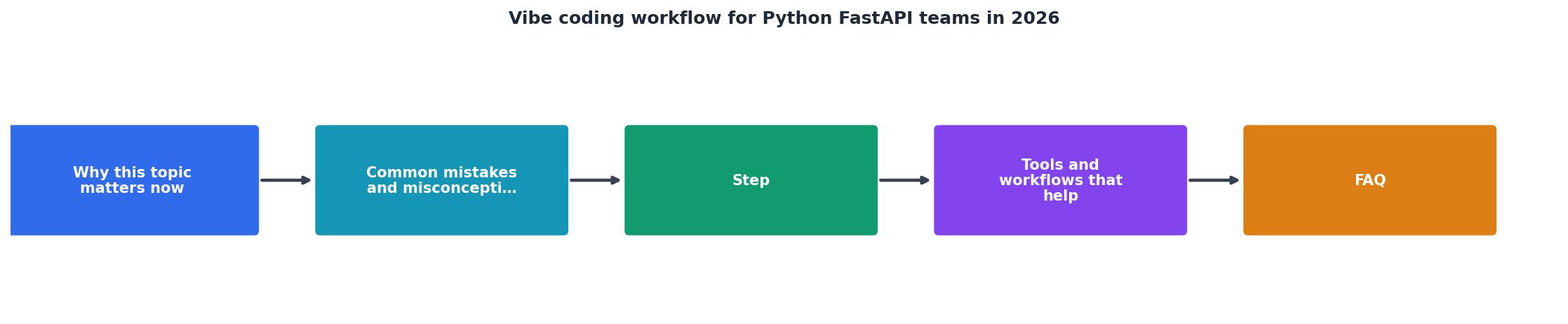
Here is the workflow that keeps AI speed without sacrificing reliability. Each step maps to a concrete action:
Step 1: Spec
Write a structured prompt that includes your project context. Not "create a user endpoint" but a prompt that references your existing Pydantic models, your dependency injection pattern, your database session factory, and your naming conventions. A good spec prompt for a FastAPI team looks like this:
- Reference the existing
app/models/user.pyschema - Specify the router prefix (
/api/v1/users) - Name the dependency (
get_dbfromapp/deps) - State the HTTP methods needed (GET list, GET by ID, POST, PATCH)
- Mention error handling pattern (raise
HTTPExceptionwith standard error schema)
Step 2: Generate
Let the AI produce the code. Use Cursor's agent mode or Claude with your codebase loaded as context. The key discipline here: generate into a new branch, never directly into main. Treat every AI generation as a draft pull request.
Step 3: Validate
Run three automated checks before any human looks at the code:
mypy --stricton the changed files (catches type errors AI introduces)pytestwith your existing test suite (catches regressions)ruff checkfor style and import ordering
Step 4: Review
A human reviews the diff with specific questions:- Does this use our existing
Depends()chain or does it inline dependencies? - Are Pydantic response models defined and used?
- Does the async/await usage match our patterns?
- Are there any new SQL queries that bypass the ORM?
Step 5: Merge
Merge only after automated checks pass and human review approves. Tag the commit with the prompt that generated it (a simple comment in the PR description works) so future developers understand the origin.
Tools and workflows that help
The workflow above is tool-agnostic, but specific tools make each step faster:
For Spec: Create a .cursor/rules file (or equivalent) in your repo root that describes your FastAPI conventions. Include your Pydantic base model, your standard error response schema, your dependency injection pattern, and your router registration approach. Every AI generation then starts with this context loaded automatically.
For Generate: Cursor's agent mode and Claude Code both handle multi-file FastAPI generation well. Claude Code excels at understanding existing project structure when you point it at your app/ directory. Copilot works for single-file edits but struggles with cross-file consistency.
For Validate: Set up a pre-commit config with mypy, ruff, and pytest hooks. Add a CI step that runs openapi-spec-validator against your generated OpenAPI schema to catch endpoint definition errors.
For Review: Use a PR template with a checklist specific to AI-generated code. GitHub's code review with required reviewers works. The checklist should include the four review questions from Step 4.
| Without Workflow | With Vibe Coding Workflow |
|---|---|
| AI generates, developer pushes | AI generates into draft branch |
| No type checking on AI output | mypy --strict on every generation |
| Inline dependencies | Enforced Depends() chain |
| Raw dict responses | Pydantic response models required |
| Bugs found in production | Bugs caught in validation step |
| No prompt history | Prompts stored in PR descriptions |
Putting it into practice

Start small. Pick one new endpoint your team needs to build this week. Run it through the five-step loop. Time the entire process from spec to merge. Compare it against your last endpoint built without the workflow.
Most teams find the first iteration takes about the same time as their old approach. By the third iteration, the workflow is 40-60% faster because the spec templates, validation scripts, and review checklists are already in place.
prompts/ directory in your repo. When a prompt produces clean code that passes all checks on the first try, save it as a template for similar endpoints.The Vibe Coding Bible at vibecodingbible.org covers this workflow in depth across 459 pages, including FastAPI-specific examples, prompt templates, and team adoption playbooks that go well beyond what a single article can cover.
Here is an example dashboard showing what a typical FastAPI team's workflow metrics look like after adopting this process for four weeks:
FastAPI Vibe Coding Workflow, Week 4 Metrics
FastAPI Vibe Coding Workflow Setup Checklist
Your progress is saved automatically in your browser.
FAQ
Frequently Asked Questions
.cursor/rules file takes 30-60 minutes. Setting up pre-commit hooks takes another 30 minutes if you already use mypy and ruff. The PR template is a 15-minute task. The real investment is building your prompt library, which grows organically over the first two weeks as you save prompts that produce clean output..cursor/rules file (or equivalent context document). This single file has the highest impact because it improves every AI generation from the moment you create it. Document your Pydantic base model, your Depends() chain, your router naming convention, and your error handling pattern. Then run one endpoint through the full five-step loop to see the workflow in action before rolling it out to the team.Additional Resources
- The State of Vibe Coding (Jan 2026) - This is a snapshot of my evolving workflow, toolkit, and learnings about AI-assisted development as a Product Manager. Vibe Coding (Jan 2026) ...
- 5 Vibe Coding Workflows That Actually Ship Production ... - Practical vibe coding setups with Claude Code, Cursor, and Windsurf. Ship Production Code in 2026. Here are the 5 workflows that actually ...
- Vibe Coding at Hackathons: How AI-First Teams Are ... - Vibe coding is the new meta at hackathons. Teams using AI to write 80% of their code are consistently outperforming traditional coders.