
Your team adopted AI coding tools three months ago. Half the engineers love them, the other half quietly revert every AI-generated pull request. Velocity numbers look great on paper, but bug reports crept up 20% and nobody agrees on what "good enough" AI output looks like. The productivity gain is real, but so is the quality risk, and as the person responsible for both, you need a system that captures the upside without letting standards slip.
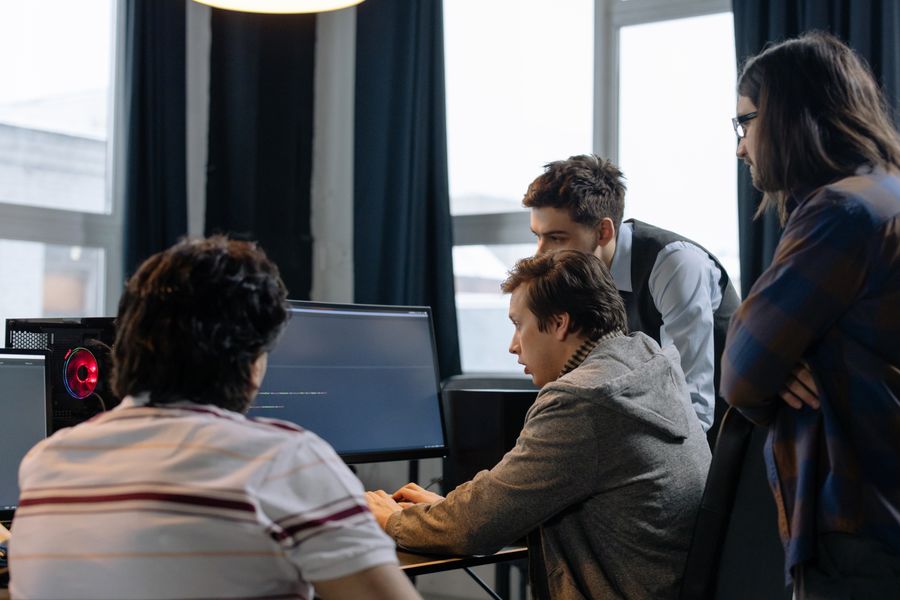
Photo by Mario Spencer from Pexels
TL;DR:- Vibe coding accelerates team output by offloading boilerplate and repetitive tasks to AI, freeing engineers for architecture and review.
- Quality stays intact when you standardize prompt workflows, enforce AI-aware code review gates, and train the team on effective oversight.
- Measuring the right metrics (cycle time, defect density, review turnaround) keeps productivity gains honest.
The Real Impact on Engineering Teams
Most discussions about vibe coding focus on individual developer speed. That misses the point for anyone running a team. The productivity question at team scale is not "can one person write code faster?" but "can the whole team ship features faster without increasing rework, security incidents, or technical debt?"
The answer is yes, with structure. Teams that treat AI as a junior pair programmer with infinite patience and zero judgment get the best results. The AI drafts. Humans review, refine, and decide. That division of labor changes how you allocate engineering time across the sprint.
Teams using structured vibe coding workflows report spending roughly 40% less time on boilerplate: CRUD endpoints, test scaffolding, data transformations, config files. That time shifts to design discussions, edge-case handling, and code review. The net effect is not just faster delivery but better-reviewed delivery.
When engineers spend less time typing repetitive code, they spend more time reading and thinking about the code that ships. About 65% of teams that adopted structured AI workflows reported deeper code reviews within the first quarter.
Collaborative Workflows That Scale

Individual vibe coding is straightforward. Team vibe coding requires shared conventions. Without them, you get five engineers prompting the same AI tool in five different ways, producing five different code styles, and creating a codebase that looks like it was written by five different companies.
Here is what works:
- Shared prompt libraries. Create a team repository of tested prompts for common tasks: API endpoint generation, test writing, database migration scaffolding. Version them like code.
- Context documents. Maintain a living architecture doc that every AI session starts with. This keeps generated code aligned with your stack, naming conventions, and patterns.
- Pair prompting sessions. Two engineers, one AI tool. One drives the prompts, the other reviews output in real time. Faster feedback loops, fewer bad commits.
- AI output tagging. Tag AI-generated code in commits (a simple
[ai-assisted]prefix works). This lets reviewers adjust their scrutiny level and helps you track quality metrics by source.
"The transition to vibe coding involves a shift from writing every line of code to overseeing AI-generated code and clarifying project goals and requirements beforehand.">, Vibe Coding for Teams: Revolutionizing Collaborative Software Development with W
That shift from writing to overseeing is the core workflow change. Your sprint planning, task breakdown, and review processes all need to reflect it.
Standardizing Code Review for AI Output
AI-generated code passes linting. It compiles. It often looks clean. And it sometimes contains subtle logic errors that a human would never write because a human would understand the business context. This makes traditional code review insufficient.
AI-aware code review adds specific checkpoints:
- Intent verification. Does the generated code actually solve the stated problem, or does it solve a plausible-sounding adjacent problem? AI is excellent at producing confident, wrong solutions.
- Edge case audit. AI tends to handle the happy path well and miss boundary conditions. Reviewers should specifically probe: what happens with empty inputs, null values, concurrent access, and permission boundaries?
- Dependency check. AI sometimes imports libraries your project does not use, or uses deprecated APIs. A quick dependency scan catches this before it reaches production.
- Security scan. AI-generated code can introduce SQL injection, insecure deserialization, or overly permissive CORS configs without any malicious intent. Automated security linting (Semgrep, CodeQL) should run on every PR, not just flagged ones.
| Traditional Code Review | AI-Aware Code Review |
|---|---|
| Focus on style and logic | Focus on intent and edge cases |
| Assumes author understood the problem | Verifies AI understood the prompt |
| Manual security checks on flagged PRs | Automated security scans on every PR |
| Reviewer trusts author's context | Reviewer independently verifies context |
| One review pass | Two passes: correctness + AI-specific checks |
Training Your Team Effectively

Buying licenses for Cursor or Copilot and telling the team "use AI" is not an adoption strategy. It is a recipe for inconsistent output and frustrated engineers. Effective training covers three layers:
Layer 1: Tool mechanics. How to use the specific AI tools your team standardized on. Keybindings, context window management, inline vs. chat mode, file referencing. This is a half-day workshop, not a semester course.
Layer 2: Prompt engineering for your codebase. Generic prompt skills are a start, but your team needs prompts tuned to your architecture. Train engineers to include relevant context: "We use NestJS with TypeORM and PostgreSQL. Generate a service class following our existing pattern in src/services/UserService.ts." Specificity eliminates 80% of AI output problems.
Layer 3: Critical evaluation. The hardest skill. Engineers need to read AI output with the same skepticism they would apply to a Stack Overflow answer from 2019. Does it actually work? Does it handle your specific constraints? Is it the right approach, or just a plausible one?
Teams with structured three-layer training programs onboard new engineers to productive AI usage roughly three times faster than teams that rely on self-directed learning.
Real Teams, Real Results
A fintech startup with 12 engineers adopted vibe coding with a structured rollout. They started with shared prompt templates for their most common task: generating API endpoint handlers with validation, error handling, and test stubs. Within six weeks, their average PR cycle time dropped from 4.2 days to 2.8 days. Defect density stayed flat because they paired the speed gain with mandatory AI-aware review checklists.
A mid-size SaaS company (40+ engineers across four squads) took a different approach. They designated one "AI champion" per squad, responsible for curating prompts, running weekly prompt-sharing sessions, and tracking quality metrics. After one quarter, three of four squads showed measurable velocity improvements. The fourth squad, which had the weakest review discipline, saw velocity gains but also a spike in post-release bugs. They course-corrected by adding automated security scanning and a stricter review template.
The pattern is consistent: speed without structure creates problems. Speed with structure creates compounding gains.
Overcoming Common Pitfalls
Every team hits the same friction points during AI adoption. Knowing them in advance saves weeks of frustration.
The "it works, ship it" trap. AI-generated code that passes tests is not necessarily good code. It might be inefficient, hard to maintain, or subtly wrong in ways tests do not cover. Establish a culture where "it works" is the starting point of review, not the end.
Skill atrophy concerns. Senior engineers worry that juniors will stop learning fundamentals. Address this directly: rotate "no-AI" tasks into sprint work. Code katas, architecture design sessions, and manual debugging exercises keep core skills sharp.
Prompt divergence. Without shared conventions, each engineer develops personal prompting habits. Some work well, others produce inconsistent output. Monthly prompt retrospectives (15 minutes in your existing retro) surface what works and standardize it.
Over-reliance on a single tool. AI tools change fast. Cursor updates its model, Copilot changes pricing, a new tool emerges. Keep your workflows tool-agnostic where possible. Your prompt libraries and review checklists should work across tools.
Measuring What Matters
The dashboard below shows the key metrics a team lead should track when rolling out vibe coding. These numbers represent a typical mid-size engineering team in their first quarter of structured AI adoption.
Track these six metrics weekly:
- PR cycle time. From first commit to merge. This is your primary velocity indicator.
- Defect density. Bugs per 1,000 lines of code. If this rises while velocity improves, your quality gates are too loose.
- Review turnaround. Hours from PR opened to first review comment. Faster reviews compound into faster shipping.
- AI-assisted PR ratio. What percentage of PRs use AI-generated code? Track adoption without mandating it.
- Security scan pass rate. Percentage of PRs passing automated security checks on first submission.
- Post-release bug count. The metric that tells you whether your internal quality gates actually work.
The process diagram above shows the flow: Prompt Library feeds into AI Generation, which flows through AI-Aware Review, then Automated Scans, and finally Merge & Deploy. Each gate catches different failure modes. Skip one, and the downstream cost multiplies.
The Adoption Playbook
Rolling this out across a team is a sequencing problem. Do everything at once and you overwhelm people. Go too slow and enthusiasm dies. Here is the sequence that works:
Week 1-2: Tool setup and Layer 1 training. Everyone has the same AI tools configured the same way. Run a hands-on workshop.
Week 3-4: Introduce shared prompt templates for your three most common task types. Start the [ai-assisted] commit tagging convention.
Week 5-6: Deploy AI-aware review checklists as PR templates. Run the first prompt retrospective.
Week 7-8: Begin tracking the six metrics. Share the dashboard in your existing team standup or weekly sync.
Week 9-12: Layer 2 and 3 training. Refine prompts based on data. Adjust review checklists based on the types of issues reviewers are catching.
The Vibe Coding Bible at vibecodingbible.org covers this rollout sequence in detail, including template prompt libraries and review checklists you can adapt to your stack.
Team Vibe Coding Setup Checklist
Your progress is saved automatically in your browser.
FAQ
Frequently Asked Questions
Additional Resources
- Mastering Vibe Coding for Teams: Enhance Collaboration ... - Vibe coding improves cross-functional communication by using natural language prompts, bridging the gap between technical and non-technical ...
- The Limits of Vibe Coding - If you're counting on a 10× productivity surge from your team with “vibe coding,” you'll likely be disappointed - not because the tools aren ...
- Engineering Productivity with Vibe Coding: Reimagining ... - Vibe Coding is redefining engineering productivity by integrating AI into workflows, enabling faster delivery, higher quality, and leaner, high-performance ...