

AI coding assistants generate code faster than any human can type it. That speed creates a trap. Professional developers who skip review, ignore test coverage, or let the model make architectural decisions end up shipping bugs that take longer to fix than writing the code by hand would have taken. This article maps the specific pitfalls and gives you a concrete QA process to avoid them.
Photo by Daniil Komov from Pexels
TL;DR:- Over-dependence on AI erodes your ability to catch subtle logic errors and architectural drift.
- Manual code reviews remain the single best defense against AI-generated bugs reaching production.
- A structured QA process (static analysis, targeted tests, human review) turns AI speed into a net positive instead of a liability.
The real cost of AI speed
AI assistants like Copilot, Cursor, and Claude Code produce syntactically correct output at an impressive rate. The problem is not the code itself. The problem is what happens to your engineering judgment when you accept 40 suggestions per hour without reading them carefully.
A pattern emerges quickly: you prompt, you accept, you move on. Within weeks, you stop questioning whether the generated function handles edge cases. You stop noticing that the model picked a deprecated API. You stop thinking about whether the data flow matches your architecture. This is skill atrophy, and it hits experienced developers harder than juniors because experienced developers have more to lose.
The fix is not to stop using AI. The fix is to treat every AI suggestion the same way you treat a pull request from a new hire: read it, question it, verify it.
Over-dependence kills judgment

Over-dependence shows up in three specific ways:
- Blind acceptance of generated code. You stop reading diffs. The model suggests a 30-line function, you glance at the first two lines, and you tab-accept. That function might silently swallow exceptions, use
anytypes in TypeScript, or introduce a SQL injection vector.
- Delegating architectural decisions. You ask the model "how should I structure this service?" and implement whatever it returns. The model has no context about your deployment constraints, your team's conventions, or your scaling requirements. It gives you a plausible answer, not the right one.
- Losing the ability to debug without AI. When the generated code breaks and you cannot explain why, you paste the error back into the chat and hope for a fix. This loop can repeat five or six times before you realize the model is guessing.
The antidote is deliberate practice. Spend time each week writing code without AI assistance. Review generated code line by line before committing. Keep a log of bugs that originated from AI suggestions. That log will teach you where the model consistently fails in your codebase.
#ai-bugs channel in your team's Slack or Discord. Tracking AI-originated bugs collectively builds institutional knowledge about where the models fall short.Manual reviews still matter
Some teams assume that because AI "wrote" the code, it must be correct. Others assume that running AI-powered code review tools (like CodeRabbit or Sourcery) replaces human review. Both assumptions are wrong.
AI-generated code has specific failure modes that automated tools miss:
- Plausible but incorrect logic. The code compiles, passes linting, and looks reasonable. But it calculates a discount as
price discountinstead ofprice (1 - discount). No linter catches that. - Context mismatch. The model generates a perfectly valid React component that uses client-side state when your app requires server-side rendering. The code works in isolation but breaks the architecture.
- Stale patterns. Models trained on older data suggest
componentWillMountin React,urllib2in Python, ormoment.jsinstead of nativeIntl.DateTimeFormat. These work but accumulate tech debt.
"The real issue is that you need to define what success looks like.">, 5 Things To Avoid When Working With AI Coding Tools
Define what "correct" means for each pull request before you review it. Write acceptance criteria. Check the generated code against those criteria. This turns review from a vague "looks good to me" into a structured verification step.
Managing AI-generated bugs

AI-generated bugs differ from human-written bugs in one critical way: they cluster around the same failure modes. Once you identify the patterns, you can build targeted defenses.
Common AI bug categories:
- Off-by-one errors in loops and slices. Models frequently get boundary conditions wrong, especially in languages with zero-based indexing.
- Missing null/undefined checks. The model assumes data exists. Your production environment disagrees.
- Incorrect error handling. Empty
catchblocks, swallowed promises, generic exception handlers that hide the root cause. - Hardcoded values. The model inserts a localhost URL, a test API key, or a magic number that should be a configuration variable.
- Race conditions in async code. The model generates
awaitcalls in the wrong order or misses them entirely.
- Tag AI-originated bugs in your issue tracker. Add a label like
ai-generatedin Jira, Linear, or GitHub Issues. After a month, run a report. You will see the patterns. - Write regression tests for each pattern. If the model keeps generating empty catch blocks, add a linting rule that flags them. If it keeps missing null checks, add a TypeScript strict mode or a custom ESLint rule.
- Feed patterns back into your prompts. Tell the model explicitly: "Always include null checks for API responses. Never use empty catch blocks. Use environment variables instead of hardcoded URLs."
The dashboard below shows a typical breakdown of AI-generated bug categories across a mid-size project over three months. Use it as a template to track your own patterns.
AI Bug Pattern Tracker
Example: 3-month breakdown for a 50K LOC TypeScript project
Build a QA process for AI code
Most teams bolt AI onto their existing workflow and hope for the best. That does not work. AI-assisted development needs a QA process designed specifically for the failure modes AI introduces.
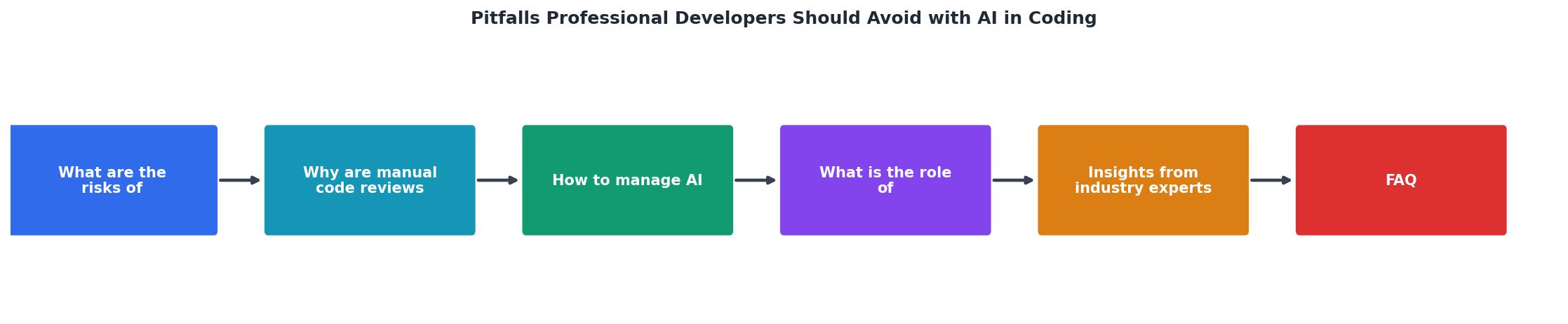
The diagram above shows the five-step process. Here is how each step works in practice:
- Generate - Prompt the AI with clear constraints: language version, framework conventions, error handling requirements, and expected input/output types.
- Static analysis - Run the generated code through your existing linter, type checker, and security scanner before you even read it. Tools like ESLint, mypy, Semgrep, and SonarQube catch the low-hanging fruit automatically.
- Targeted tests - Write tests that specifically target known AI failure modes: null inputs, empty arrays, boundary values, concurrent access. Do not rely on the model to write its own tests. It will write tests that pass, not tests that catch bugs.
- Human review - A developer who understands the feature's intent reviews the code against acceptance criteria. This is not optional. This is where context-dependent bugs get caught.
- Monitor - After deployment, track error rates for AI-generated code separately. Use feature flags to roll back quickly if a pattern of failures emerges.
| Without AI-specific QA | With AI-specific QA |
|---|---|
| Bugs found in production | Bugs caught in review |
| Generic test suites miss AI patterns | Targeted tests for known failure modes |
| No tracking of AI bug origins | Labeled issues reveal patterns over time |
| Prompt-and-pray workflow | Constrained prompts with explicit rules |
| Review fatigue from volume | Automated pre-filtering reduces review load |
Lessons from teams doing it well
Teams at Shopify, Stripe, and GitLab have shared fragments of their AI adoption strategies publicly. The common thread is constraint. They do not give developers unlimited AI access and hope for quality. They set guardrails.
Specific practices that work:
- Prompt libraries. Shared, version-controlled prompt templates that encode team conventions. Instead of each developer writing ad-hoc prompts, the team maintains a
prompts/directory with tested templates for common tasks like "generate a REST endpoint" or "add input validation." - AI review checklists. A checklist appended to every PR that includes AI-generated code. Reviewers check for null handling, error propagation, hardcoded values, and architectural fit.
- Rotation of AI-free sprints. Some teams run one sprint per quarter without AI assistance. This keeps debugging skills sharp and reveals which parts of the codebase developers actually understand versus which parts they have been copy-pasting from AI output.
- Pair programming with AI as the third participant. Two developers work together, one driving the AI prompts, the other reviewing output in real time. This catches issues before they reach the PR stage.
The Vibe Coding Bible at vibecodingbible.org covers these team-level strategies in depth, including ready-to-use prompt templates and review checklists you can drop into your workflow today.
Your AI-assisted QA checklist
Use this checklist for every pull request that contains AI-generated code. Print it, pin it to your monitor, or add it as a PR template in GitHub.
AI-Assisted Code QA Checklist
Your progress is saved automatically in your browser.
FAQ
Frequently Asked Questions
What is the most common AI-generated bug pattern you have encountered in your codebase? Share it in the comments so we can all build better defenses.
Additional Resources
- 5 Things To Avoid When Working With AI Coding Tools - For example, on the frontend I've seen things like weak accessibility, brittle logic, weird abstractions, duplicated behavior, and terrible ...
- Should Developers Really Code with AI? A Dos and Don'ts ... - It's well documented that using AI can diminish your skills and ability to learn. You're not forming the same memories as if you wrote the code ...
- The Potential and Pitfalls of AI-Assisted Coding - AI coding tools risk potentially exposing the code to vulnerabilities, such as outdated libraries, insecure defaults, or poor patterns sneaking into the code.