

Vibe coding on the web is one thing. You prompt an AI, get a React component, refresh the browser, and iterate. Mobile development is a different animal entirely. Platform-specific APIs, strict performance budgets, app store review processes, and the sheer variety of devices turn AI-assisted development into a minefield of subtle failures that only surface after you ship. This article breaks down the real challenges of vibe coding for mobile and gives you concrete strategies to handle each one.
Photo by Christina Morillo from Pexels
TL;DR:- Mobile vibe coding faces unique obstacles: platform fragmentation, performance constraints, native API complexity, and app store compliance.
- AI tools accelerate scaffolding and boilerplate but produce code that often ignores memory management, accessibility, and device-specific edge cases.
- A disciplined workflow combining AI generation with targeted profiling, manual review, and automated testing on real devices closes the gap.
Why mobile is harder for AI
Web development has a forgiving runtime. A browser reloads in milliseconds, CSS mistakes are visible instantly, and memory leaks take hours to matter. Mobile apps operate under tighter constraints. An iOS app that allocates 50 MB of unreleased bitmaps gets terminated by the system. An Android app that blocks the main thread for 200 ms triggers an ANR dialog. AI code generators trained primarily on web and server-side code don't internalize these rules.
The core issue: AI models treat mobile as "web with a smaller screen." They generate UIViewController subclasses that never call removeObserver, produce Jetpack Compose layouts that recompose on every frame, and suggest setState calls in Flutter that rebuild entire widget trees. Each of these works in a demo. None of them survive a real user session on a three-year-old phone.
That number reflects what teams consistently report after integrating AI into mobile workflows: roughly seven out of ten generated code blocks require manual intervention for performance, memory, or lifecycle correctness before they are production-ready.
Platform fragmentation

Cross-platform frameworks like React Native, Flutter, and Kotlin Multiplatform promise write-once-run-everywhere. AI tools lean heavily on these frameworks because they reduce the problem space. But fragmentation doesn't disappear just because you picked Flutter.
Consider what actually varies across devices:
- Screen densities: from 160 dpi budget Androids to 460 dpi flagships. AI-generated layouts that use fixed pixel values break immediately.
- OS versions: Android 10 through 15 each have different permission models, background execution limits, and notification channels.
- Hardware capabilities: not every phone has NFC, a gyroscope, or a neural processing unit. AI code that calls
ARCorefunctions without checkingisSupportedcrashes on half the market. - OEM customizations: Samsung, Xiaomi, and Huawei each modify Android's behavior. Xiaomi's aggressive battery optimization kills background services that work fine on Pixel devices.
Only about a third of active Android devices run the latest OS version at any given time. Your AI-generated code needs to handle the other two-thirds.
Performance and memory traps
Mobile performance problems fall into three categories that AI consistently mishandles:
- Rendering jank: dropped frames during scrolling, transitions, or animations. AI-generated list views often inflate complex layouts without view recycling. In Android, this means skipping
ViewHolderpatterns or creating ComposeLazyColumnitems that trigger unnecessary recompositions. - Memory pressure: AI loves convenience. It loads full-resolution images into memory, creates new object instances inside
build()methods, and stores entire API responses in state. On a device with 3 GB of RAM shared across dozens of apps, this leads to OOM kills. - Battery drain: background tasks, wake locks, and aggressive polling. AI-generated sync logic often uses
setInterval-style polling instead of platform-appropriate push mechanisms like Firebase Cloud Messaging or APNs.
macrobenchmark (Android) or XCTest metrics (iOS) to automatically flag regressions in startup time, frame rate, and memory allocation before code reaches main.Native API complexity
Each platform exposes thousands of APIs with specific lifecycle requirements. Camera access on iOS requires AVCaptureSession configuration, permission handling through Info.plist entries, and graceful degradation when the user denies access. AI tools generate the session setup but frequently skip the permission flow or produce a flow that doesn't match Apple's Human Interface Guidelines.
Here are the API areas where AI-generated code most often fails review:
- Permissions: runtime permission requests on Android 13+ require
POST_NOTIFICATIONSseparately. AI often bundles permissions incorrectly. - Background execution: iOS limits background tasks to roughly 30 seconds. AI-generated download managers that assume unlimited background time silently fail.
- Deep linking and navigation: Universal Links (iOS) and App Links (Android) require server-side
apple-app-site-associationandassetlinks.jsonfiles. AI generates the client code but not the server configuration. - In-app purchases: StoreKit 2 (iOS) and Google Play Billing Library v6 have strict transaction verification requirements. AI-generated purchase flows often skip server-side receipt validation entirely.
"The biggest problem with vibe coding is perception.">, The biggest problem with vibe coding is perception.
That perception gap is amplified in mobile. The generated code looks complete. It compiles. It runs on the simulator. But it skips the platform-specific details that separate a demo from a shipped product.
A workflow that actually works
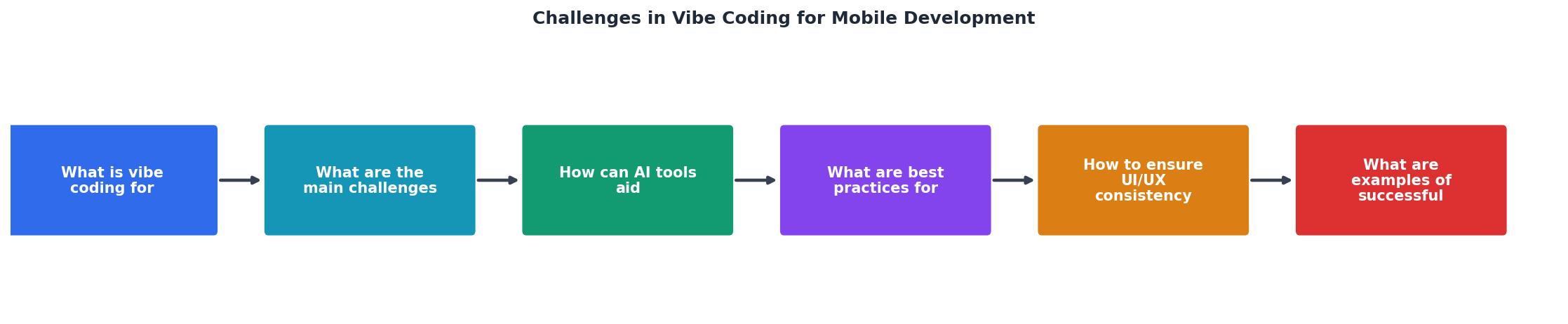
The diagram above outlines the core loop. Here is how each step translates to practice:
- Define constraints: before prompting, write a context document specifying OS versions, target devices, required permissions, and performance budgets (e.g., "cold start under 1.5 seconds on Pixel 6a").
- Generate with AI: use the context document as system prompt or preamble. Tools like Cursor, GitHub Copilot, and Claude work best when given explicit platform constraints.
- Review for platform correctness: check lifecycle handling, permission flows, and memory management. This is a manual step. Automated linters catch syntax issues, not architectural ones.
- Profile on real devices: run on at least two physical devices (one low-end, one flagship). Measure frame rate, memory, and battery impact.
- Iterate: feed profiling results back into the AI prompt. "This Compose function recomposes 47 times per second during scroll. Reduce recompositions by extracting stable keys."
| Without Constraints | With Constraints |
|---|---|
| AI targets latest API only | AI handles backward compatibility |
| Fixed pixel layouts | Density-independent layouts |
| No permission handling | Full permission flow generated |
| Polling for updates | Platform push notifications |
| Works on emulator | Works on real devices |
UI/UX consistency across platforms

iOS users expect Material You to stay on Android. Android users don't want iOS-style back swipes. AI tools default to one platform's conventions and apply them everywhere. A Flutter app generated by AI often uses Material Design widgets on both platforms, which feels wrong on iOS.
Strategies that work:
- Use platform-adaptive widgets: Flutter's
CupertinoAppvsMaterialApp, React Native'sPlatform.select(). Instruct the AI explicitly: "Use Cupertino widgets when platform is iOS." - Respect safe areas and notches: AI-generated layouts frequently ignore
SafeAreaView(React Native) orMediaQuery.of(context).padding(Flutter). Every layout needs these. - Test navigation patterns: iOS uses edge swipe for back navigation. Android uses the system back button/gesture. AI-generated navigation stacks often break one or the other.
- Accessibility from the start:
Semanticswidgets in Flutter,accessibilityLabelin React Native,contentDescriptionin Android XML. AI skips these unless you ask. Screen reader users on mobile are a larger percentage than on desktop.
Roughly one in four mobile users enables at least one accessibility feature (large text, screen reader, color correction). Ignoring accessibility means ignoring a quarter of your potential users.
Managing complexity with AI
The real skill in mobile vibe coding is not generating code. It is managing the complexity that AI introduces. Every AI-generated file is a liability until it is reviewed, profiled, and tested.
Here is what experienced mobile developers do differently:
- Small, focused prompts: instead of "build me a chat screen," break it into "create a message list with view recycling," "add a text input with send button," and "implement WebSocket connection with reconnection logic." Each prompt produces reviewable output.
- Platform-specific prompts: generate iOS and Android implementations separately, even in cross-platform frameworks. The platform layer always has differences.
- Automated snapshot testing: tools like
screenshot_tests(Flutter) andPaparazzi(Android) catch UI regressions that AI introduces during refactoring. - Dependency auditing: AI suggests libraries freely. Every dependency added to a mobile app increases binary size and attack surface. Audit each one before accepting.
Mobile Vibe Coding Challenge Distribution
AI Integration Checklist for Mobile Development
Your progress is saved automatically in your browser.
FAQ
Frequently Asked Questions
What is the biggest mobile-specific challenge you have hit when using AI to generate code? Share your experience so others can learn from it.
Additional Resources
- The biggest problem with vibe coding is perception. - The biggest problem with vibe coding is perception. Non-technical people often see a working application and assume it's done.
- A new worst coder has entered the chat: vibe coding ... - A new worst coder has entered the chat: vibe coding without code knowledge. In the age of AI, being able to make applications and create code ...
- Top 5 problems with vibe coding | Glide Blog - 1. Security vulnerabilities · 2. Lack of maintainability and scalability · 3. Difficulties with debugging and troubleshooting · 4. Limitations in ...