

Every SaaS product, internal tool, and side project starts the same way: a database, four operations, and a lot of boilerplate. Create, Read, Update, Delete. The pattern is so common that writing it from scratch in 2026 feels like hand-copying a phone book. Vibe coding with AI tools turns that repetitive grind into a conversation, letting you describe what you want and get working CRUD endpoints, forms, and validation in minutes instead of hours.
Photo by Negative Space from Pexels
TL;DR:- CRUD apps (Create, Read, Update, Delete) are the backbone of most software, and vibe coding automates the repetitive parts: schema generation, route scaffolding, form validation, and error handling.
- Non-engineers can describe data models in plain language and get working code from AI tools like Cursor, Claude, or GitHub Copilot.
- The result is faster shipping with fewer copy-paste bugs, but you still need to verify security, data integrity, and edge cases yourself.
The anatomy of a CRUD app
A CRUD application is any software that lets users create records, read them back, update existing ones, and delete what they no longer need. A contacts list, a task manager, an inventory tracker, a blog CMS: all CRUD at their core.
The typical architecture looks like this:
- Database layer with tables or collections storing your data
- Backend API exposing endpoints for each operation (POST, GET, PUT/PATCH, DELETE)
- Frontend UI with forms, lists, and detail views
- Validation and error handling to keep bad data out
Why vibe coding fits CRUD perfectly

CRUD code is predictable. Each entity follows the same pattern with minor variations: different field names, different validation rules, different relationships. That predictability is what makes vibe coding so effective here.
When you tell an AI tool "Create a REST API for a Product entity with fields name (string, required), price (decimal, positive), and category (string, optional)," the AI already knows the pattern. It generates:
- A database migration or schema definition
- Route handlers for all four operations
- Input validation matching your constraints
- Error responses for missing fields or invalid data
- Basic tests covering happy paths
Step-by-step: building a CRUD app
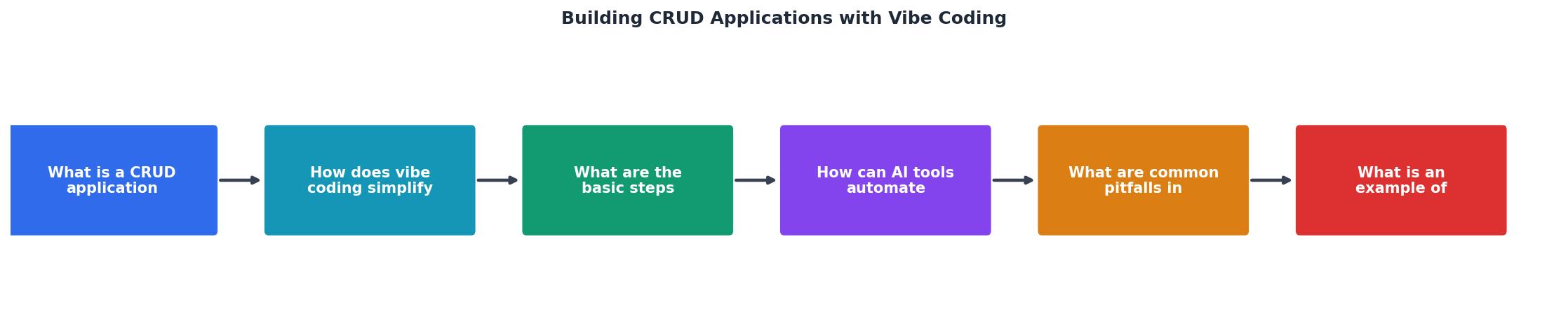
Here is the process broken into concrete steps. Each maps to a prompt (or a short series of prompts) you give your AI tool.
- Define your data model. Write out every entity, its fields, types, and relationships. "A Task has a title (string, required), description (text, optional), status (enum: open/in-progress/done), and belongs to a User."
- Generate the schema. Ask the AI to create database migrations or a schema file. Verify the output matches your model.
- Scaffold API routes. Prompt for CRUD endpoints. Specify your framework (Express, FastAPI, Next.js API routes, Rails) so the AI generates idiomatic code.
- Add validation. Request input validation for each endpoint. Name the library you want (Zod, Joi, Pydantic) or let the AI pick one.
- Build the frontend. Describe the UI: "A table listing all tasks with edit and delete buttons, plus a form to create new tasks." The AI generates components.
- Wire it together. Connect frontend forms to API endpoints. Ask the AI to handle loading states, error messages, and success feedback.
- Test and iterate. Run the app, find what breaks, paste the error back into the AI, and fix it.
Automating the repetitive parts

The real leverage comes from automating what you would otherwise copy-paste. Here are specific examples:
- Schema duplication. You define a
Productmodel once. The AI generates the database table, the TypeScript interface, the API request/response types, and the form validation schema from that single definition. - Error handling boilerplate. Every endpoint needs try/catch blocks, status codes, and error messages. One prompt like "Add consistent error handling to all routes using the project's error format" handles it across the board.
- Pagination and filtering. "Add pagination (20 items per page) and search by name to the GET /products endpoint" produces the query logic, URL parameter parsing, and frontend pagination controls.
- Soft deletes. "Change the delete operation to a soft delete using a
deleted_attimestamp" updates the schema, the delete handler, and the read queries to filter out deleted records.
"Can you review for breadth and clarity and think of a few ways it could be improved, if necessary.">, A Structured Workflow for "Vibe Coding" Full
This review-and-improve loop is central to vibe coding. You generate, review, ask the AI to critique its own output, then refine. It works especially well for CRUD because the patterns are well-understood and the AI can spot missing edge cases.
Common pitfalls and how to dodge them

AI-generated CRUD code works fast but fails in predictable ways. Watch for these:
- Missing authorization checks. The AI generates endpoints that anyone can call. You need to add middleware that verifies the user owns the record they are updating or deleting. Always prompt explicitly: "Add authorization so users can only modify their own tasks."
- No input sanitization. Generated code often trusts user input. SQL injection and XSS are still real threats. Ask the AI to use parameterized queries and sanitize HTML output.
- Optimistic database operations. The AI might skip checking whether a record exists before updating it, or ignore race conditions on concurrent updates. Request explicit existence checks and consider optimistic locking for critical data.
- Hardcoded configuration. Database URLs, API keys, and port numbers end up as string literals. Prompt for environment variable usage from the start.
- No data validation on the backend. Frontend validation is not enough. Every constraint must be enforced server-side too.
A worked example: task manager
Let me walk through building a minimal task manager. The stack: Next.js with App Router, Prisma ORM, SQLite for local development.
Prompt 1: "Create a Prisma schema for a Task model with fields: id (auto-increment), title (string, required, max 200 chars), description (text, optional), status (enum: OPEN, IN_PROGRESS, DONE, default OPEN), createdAt, updatedAt."
The AI generates schema.prisma with the model and enum. You run npx prisma migrate dev to create the database.
Prompt 2: "Create Next.js API route handlers at /api/tasks for full CRUD. Use Prisma client. Validate input with Zod. Return proper HTTP status codes."
You get app/api/tasks/route.ts (for list and create) and app/api/tasks/[id]/route.ts (for read, update, delete). Each handler validates input, catches errors, and returns JSON.
Prompt 3: "Build a React component that displays tasks in a table with status badges, an inline edit form, delete confirmation, and a create-task modal. Use Tailwind CSS."
The AI produces a TaskList component with state management, fetch calls, and UI. You paste it in, run npm run dev, and you have a working task manager.
Total time from zero to functional prototype: about 20 minutes. The same build done manually, including looking up Prisma syntax, Zod schemas, and Next.js route conventions, takes two to four hours.
The following dashboard shows what a typical vibe-coded CRUD project looks like in terms of effort distribution:
Effort Distribution: Vibe-Coded Task Manager
Vibe coding vs. traditional CRUD
| Traditional Approach | Vibe Coding Approach |
|---|---|
| Write boilerplate manually for each entity | Describe the entity, AI generates boilerplate |
| Copy-paste between similar endpoints | One prompt produces all four operations |
| Look up framework docs for syntax | AI uses idiomatic patterns for your chosen stack |
| Debug typos in repetitive code | Fewer typos, but review AI logic instead |
| 2-4 hours per entity (full stack) | 15-30 minutes per entity (full stack) |
| Deep framework knowledge required | Enough knowledge to verify output required |
The tradeoff is clear. Vibe coding shifts your time from writing to reviewing. You still need to understand what correct CRUD code looks like, but you do not need to type it character by character. For non-engineers, this is the difference between "I can build this" and "I need to hire someone."
CRUD App with Vibe Coding: Launch Checklist
Your progress is saved automatically in your browser.
FAQ
Frequently Asked Questions
Additional Resources
- A Structured Workflow for "Vibe Coding" Full-Stack Apps - Yes, you can copy a landing page, or build a decent CRUD app, but you're not gonna be able to build a complex SaaS or internal tool with them.
- A Structured Workflow for “Vibe Coding” Full-Stack Apps - Yes, you can copy a landing page, or build a decent CRUD app, This article is a summary of the key approaches to implementing this workflow. ...
- 30+ best vibe coding tools to build, create, and code by feel - This article explains how Vibe Coding blends creative coding, flow based development, generative AI and live coding patterns to move you from ...